
2 perspectives. One decision.
MINISFORUM UM790 Pro vs Beelink SER8
Two compact Windows desktops with Radeon 780M graphics: compare the exact 32 GB configurations, display connections, upgrades and everyday setup.
Researched · Specification comparison
The short answer
UM790 Pro is the stronger starting point when you need two USB4 ports and the included 1 TB drive. SER8 offers a useful HDMI, DisplayPort and USB4 combination with the Ryzen 7 8745HS. Choose around your connections and total setup cost; neither is a substitute for a desktop with a powerful dedicated graphics card.
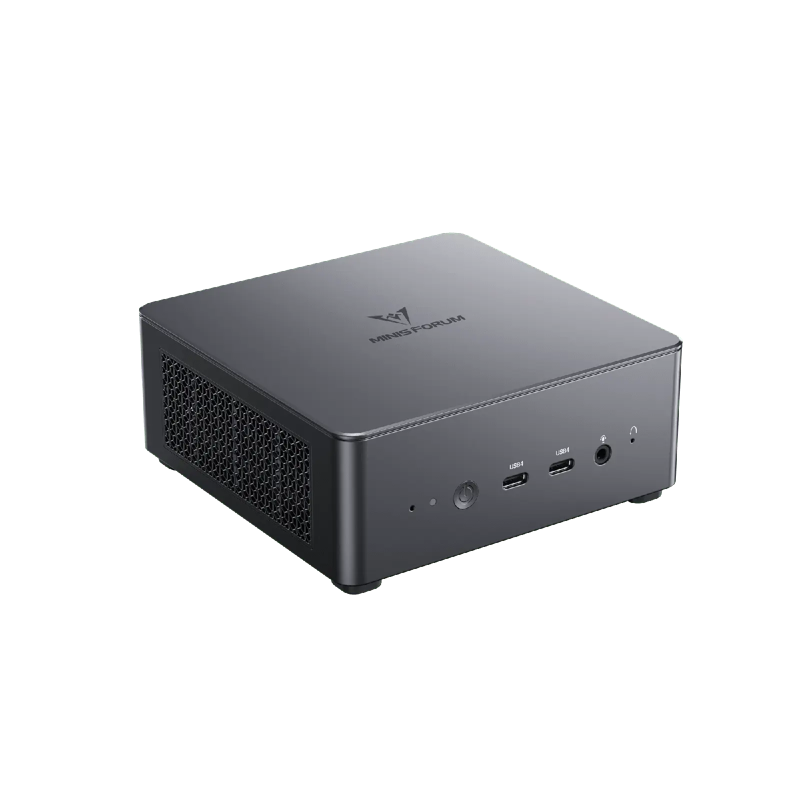
For two USB4 connections
MINISFORUM UM790 Pro
Ryzen 9 7940HS, 32 GB RAM and 1 TB SSD. Complete Windows configuration.
Check it out: MINISFORUM UM790 Pro on Amazon.de (opens a new tab)Image: MINISFORUM
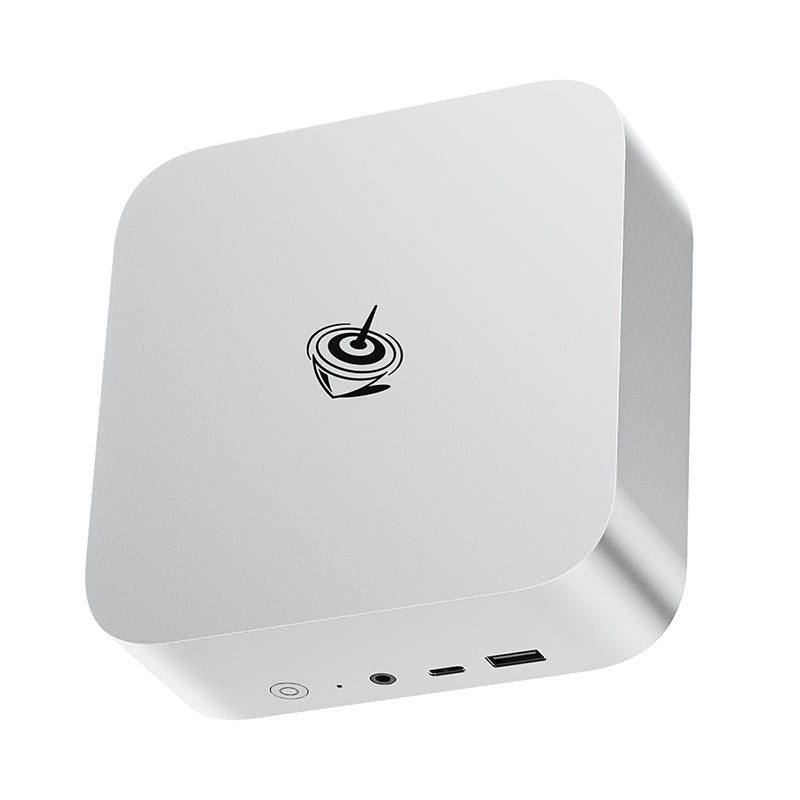
For mixed display connections
Beelink SER8 · 8745HS
Ryzen 7 8745HS, 32 GB RAM and 500 GB SSD. Silver model shown.
Check it out: Beelink SER8 on Amazon.de (opens a new tab)Image: Beelink
Affiliate links may earn us a commission. Compare the exact variant and current price before buying. Specifications are manufacturer claims, not our own test results.
A small desktop still needs a complete desk
These are complete compact computers, with memory, an SSD and Windows in the selected listings. They make sense when you want a fixed workstation without a tower under the desk. Connect your own monitor, keyboard and mouse, then make room for the external power adapter and the cables those peripherals need. Neither machine includes a laptop screen or battery.
The comparison concerns two specific configurations: UM790 Pro with 32 GB and 1 TB, and SER8 with 32 GB and 500 GB. Manufacturers sell other bundles, and the SER8 name also appears beside other processors. Confirm the selected configuration after following the merchant link. A cheaper barebones kit would need additional parts and is a different purchase.
What the processor names tell you
Both processors have eight CPU cores and sixteen threads, so the Ryzen 9 badge does not mean the MINISFORUM has more cores. Its published maximum boost clock is higher. That gives useful context, but it does not establish a fixed performance advantage in your application: cooling, power settings and the length of a task all affect the result.
For browsing, documents, development and general multitasking, these specifications provide a sensible shortlist. Longer video exports or large builds deserve application-specific benchmark research before buying. We have not run a controlled performance test on these machines, so there is no invented percentage lead here. Choose the software workload first, then decide whether a compact system fits it.
Radeon 780M is integrated graphics
Both machines use Radeon 780M graphics built into the processor. It shares system memory rather than having the separate video memory of a dedicated graphics card. That makes RAM configuration relevant to graphics work as well as multitasking. The supplied 32 GB is useful, but a large memory figure cannot turn integrated graphics into a high-end gaming GPU.
Lighter games and reduced graphics settings are more realistic targets than demanding new games at maximum detail. A monitor supporting 4K output does not mean the PC will render every game smoothly at 4K. For GPU-heavy 3D rendering, specialist software or demanding gaming, check the application’s requirements against the actual graphics hardware before choosing either small box.
Choose ports around the displays you own
UM790 Pro offers two HDMI connections and two USB4 ports. SER8 instead gives you HDMI, a full-size DisplayPort connection and USB4. A desk with an existing DisplayPort monitor may therefore connect more directly to the Beelink. A setup with two USB4 peripherals has a clearer reason to consider the MINISFORUM. Count the sockets you will actually occupy.
Maximum display claims depend on the resolution, refresh rate, cable and combination of outputs. Check the manual for your intended arrangement rather than adding every headline number together. Both provide 2.5 Gb Ethernet, which is useful only when the rest of your local network supports it. It does not increase the speed of your internet subscription.
Leave room for cooling and cables
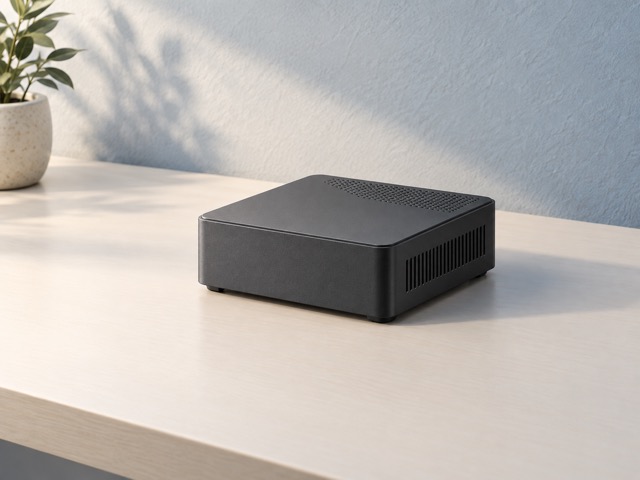
These are actively cooled computers. Small volume saves desk space, but the air intake and exhaust still need clearance. Place the unit on a stable surface with ventilation openings unobstructed. A crowded cupboard, soft fabric or a stack of equipment pressed against the case can undermine the cooling design. Leave enough room to reach the rear connections too.
Beelink describes a vapor-chamber cooling system and bottom air intake for this SER8. Those design details are not an independent noise measurement. Fan behavior changes with workload and power settings on both machines. If quiet recording is your priority, evaluate the system under that workload and position the computer away from the microphone where practical.
Upgrades are possible, within the platform
Both designs have two SO-DIMM memory slots and two M.2 2280 SSD slots. That offers more flexibility than a computer with soldered memory, but check which slots are occupied before ordering an upgrade. The selected MINISFORUM includes twice the nominal SSD capacity of the selected Beelink. Compare the complete configuration cost, including any extra drive you already know you need.
The checked SER8 Amazon listing and current manufacturer page give different maximum memory capacities. We therefore do not promise the largest figure for every supplied unit. Confirm BIOS support and qualified modules with the seller or manufacturer. Memory and drive access also does not imply a replaceable desktop CPU, a graphics-card slot or unlimited future expansion.
Which one belongs on your desk?
Start with UM790 Pro when its two USB4 ports and included 1 TB drive directly solve your setup requirements. Start with SER8 when its mixed display outputs and 8745HS configuration meet your needs at a favorable current total price. Include the monitor, peripherals and any adapters in that comparison; the price of the PC alone is only part of a new workspace.
Use the supplied mains adapter for the documented setup. A USB-C connector is not a promise that every charger can run the computer at full capability. Finally, check the seller’s configuration, Windows inclusion and support arrangements before ordering. The useful winner is the machine that connects cleanly to your equipment and handles your work without paying for unused features.
Side by side
The differences that matter.
On smaller screens, swipe across the table to compare all products.
| At a glance | MINISFORUM UM790 Pro | Beelink SER8 · 8745HS |
|---|---|---|
| Processor | Ryzen 9 7940HS; 8 cores / 16 threads | Ryzen 7 8745HS; 8 cores / 16 threads |
| Maximum advertised boost | Up to 5.2 GHz | Up to 4.9 GHz |
| Graphics | Integrated Radeon 780M | Integrated Radeon 780M |
| Supplied memory | 32 GB DDR5 | 32 GB DDR5 |
| Supplied SSD | 1 TB PCIe 4.0 | 500 GB PCIe 4.0 |
| Memory and drive access | Two SO-DIMM slots; two M.2 2280 SSD slots | Two SO-DIMM slots; two M.2 2280 SSD slots |
| Main display connections | Two HDMI 2.1; two USB4 | HDMI 2.1; DisplayPort 1.4; USB4 |
| Wired networking | 2.5 Gb Ethernet | 2.5 Gb Ethernet |
| Wireless in checked listing | Wi-Fi 6E; Bluetooth 5.3 | Wi-Fi 6; Bluetooth 5.2 |
| Operating system in listing | Windows 11 Pro | Windows 11 Pro |
| Power source | Supplied external mains adapter | Supplied external mains adapter |
A little more context
How to improve a home technology workspace
Fix positioning, connections and daily friction before adding more devices.