
3 perspectives. One decision.
Logitech MX Keys S Plus vs Wave Keys vs Keychron K2 HE
Compare a low-profile typing keyboard, a curved office keyboard and a compact magnetic-switch model in their German layouts.
Researched · Specification comparison
The short answer
MX Keys S Plus suits familiar low-profile typing with backlighting and a separate palm rest. Wave Keys suits someone who prefers a curved layout and integrated support. K2 HE is the choice for adjustable magnetic switches and a true wired connection, provided you can work without a number pad.
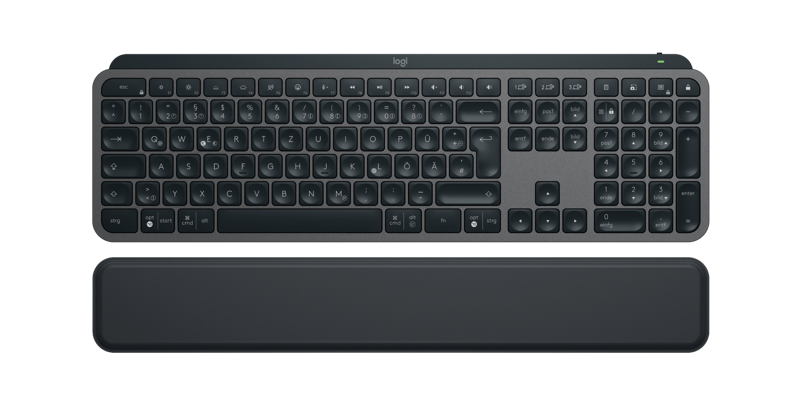
For low-profile typing
Logitech MX Keys S Plus
Graphite German QWERTZ bundle with separate palm rest.
Check it out: Logitech MX Keys S Plus on Amazon.de (opens a new tab)Image: Logitech
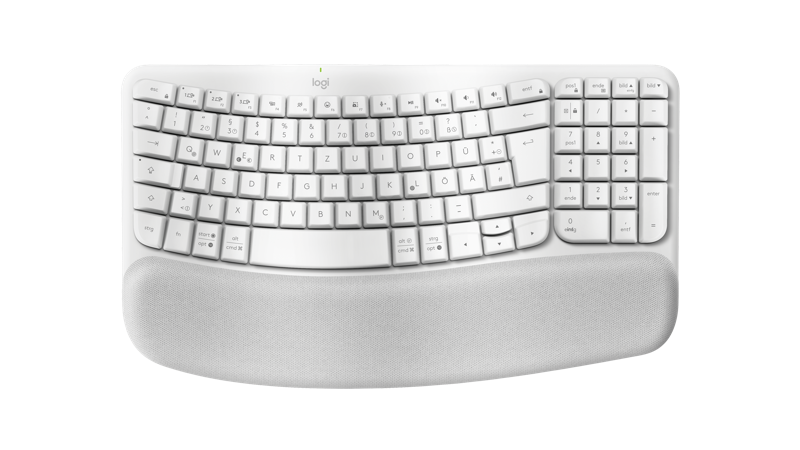
For a curved office layout
Logitech Wave Keys
White German QWERTZ version with integrated cushioned palm rest.
Check it out: Logitech Wave Keys on Amazon.de (opens a new tab)Image: Logitech
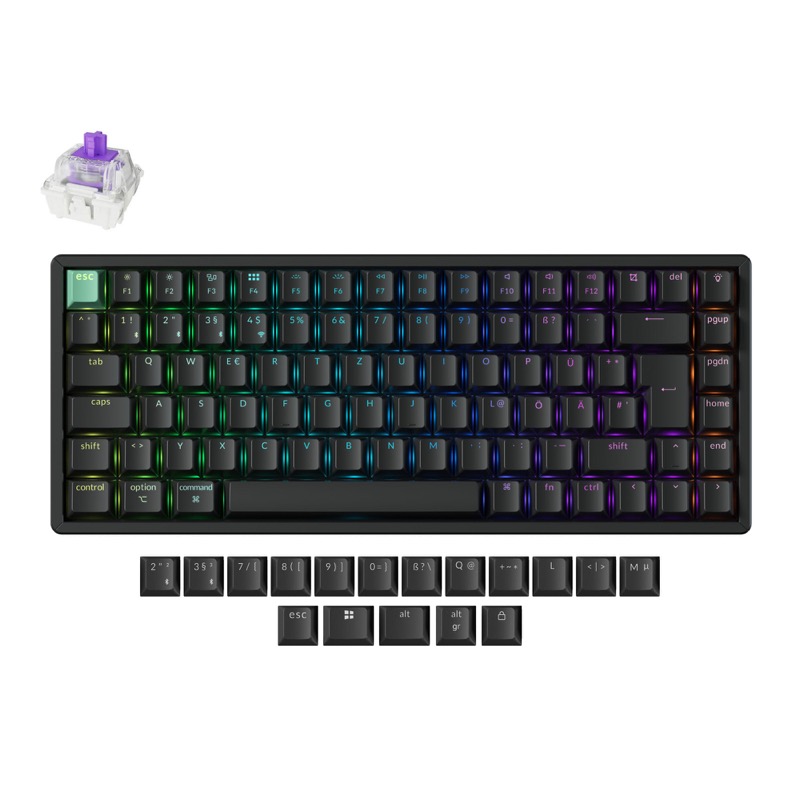
For adjustable key response
Keychron K2 HE
Black Standard German ISO version with Gateron double-rail magnetic switches.
Check it out: Keychron K2 HE on Amazon.de (opens a new tab)Image: Keychron
Affiliate links may earn us a commission. Compare the exact variant and current price before buying. Specifications are manufacturer claims, not our own test results.
Begin with the keys you use every day
These keyboards solve different problems. MX Keys S Plus keeps the familiar flat, full-size arrangement with shallow key movement. Wave Keys reshapes the typing area and adds a fixed cushion. K2 HE concentrates its keys into a 75% layout and lets you change when each magnetic switch activates. There is no single mechanism that everyone will find comfortable.
All three links here are for German layouts. That matters for the printed symbols, Enter key and placement of characters you type often. MX Keys S Plus also refers to the bundle with a separate palm rest. Check the merchant selection before paying: another color, regional layout or package can look similar while changing the experience substantially.
Number pad or more space beside the keyboard?
MX Keys S Plus and Wave Keys include a number pad. That is useful for frequent numerical entry without adding a separate accessory. Keychron leaves it out but retains a function row and arrow keys. Its smaller footprint can leave more space for the mouse, especially when your desk is narrow or your right arm otherwise reaches around a wide keyboard.
Think through a normal document or spreadsheet session before choosing the compact option. A frequently used key may move or require a different shortcut. Conversely, a number pad you never touch takes up space every day. Keychron’s standard black version shown here does not have the wooden side pieces found on its Special Edition.
Backlighting changes the charging routine
MX Keys S has adaptive illumination that responds to your hands and ambient conditions. Logitech advertises up to ten days with backlighting or up to five months with it disabled. Those figures describe different use conditions, not simultaneous benefits. Brightness, activity and connection habits influence how often you need to recharge your own keyboard.
Wave Keys has no illuminated keys and uses two replaceable AAA batteries, with Logitech advertising up to three years under its test conditions. K2 HE has RGB lighting and a rechargeable battery. We do not rank endurance by comparing these unrelated manufacturer tests. Decide whether visible legends in a dim room matter more than minimizing charging interruptions.
Magnetic switches give you another adjustment
K2 HE detects switch movement magnetically and allows actuation from 0.2 to 3.8 mm. A shallow setting can register an input with little movement, while a deeper setting may reduce accidental activation during ordinary typing. Rapid trigger changes the reset behavior as a key moves. These are useful controls for particular games and preferences, rather than a guarantee of better typing.
The advertised 1,000 Hz polling applies to wired and 2.4 GHz connections, not Bluetooth. Configure the keyboard through Keychron Launcher using its supported browser and connection requirements. Check the exact hardware revision before buying replacement switches: K2 HE revisions have specific magnetic-switch compatibility. A hot-swappable socket does not mean an ordinary mechanical switch will work.
Wireless pairing is separate from customization
Both Logitech models offer Bluetooth and Logi Bolt, with buttons to select among three paired devices. This is switching between hosts, not typing into all three simultaneously. Logi Options+ provides settings and Smart Actions on supported Windows and macOS systems. Basic keyboard compatibility on another operating system does not automatically include the same customization tools.
K2 HE offers a cable connection as well as its receiver and Bluetooth. That provides a useful fallback when you need wired input. MX Keys S uses its USB-C connection for charging while continuing to communicate wirelessly. Keep the appropriate radio connection available. On a managed work computer, confirm whether configuration software or browser access to a USB device is permitted.
Make the shape work with your desk
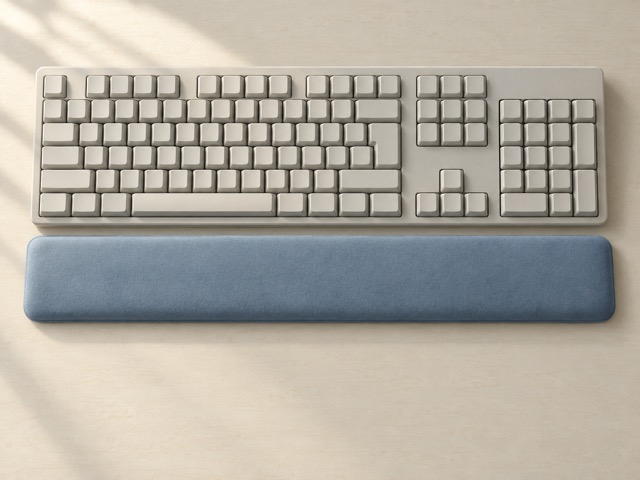
Wave Keys’ integrated palm rest and curved keys are its defining features. You cannot reposition that cushion independently of the keyboard. The separate rest in the MX Keys S Plus bundle allows more freedom in placement. Keychron’s taller key structure may lead you to consider a separate rest, but the appropriate height depends on your desk and typing position.
Keep enough clear space to place the keyboard where your arms can reach it naturally. Try the arrow keys, modifiers and mouse together, rather than judging comfort from a product image. A curved shape or an ergonomic label is not a promise of pain relief. Familiarity, body size and the surrounding workstation all influence what feels comfortable.
The choice for your working style
Choose MX Keys S Plus when you want laptop-like key travel, a number pad and backlighting, with Logitech’s software available on your computer. Choose Wave Keys when its curved arrangement and built-in support appeal to you and you do not need illuminated legends. Both keep an office-oriented layout without the actuation settings of the Keychron.
Choose K2 HE when its compact footprint, cable operation or magnetic-switch control solves a real need. Allow time to adjust the settings and learn the layout. Compare the current prices of these exact packages after deciding which features matter. We have not measured typing noise, input latency or long-session comfort, so those are not presented as tested advantages.
Side by side
The differences that matter.
On smaller screens, swipe across the table to compare all products.
| At a glance | Logitech MX Keys S Plus | Logitech Wave Keys | Keychron K2 HE |
|---|---|---|---|
| Layout in selected listing | German QWERTZ, full size | German QWERTZ, curved layout | German ISO, compact 75% |
| Number pad | Yes | Yes | No |
| Key mechanism | Low-profile scissor keys | Plunger keys in a wave arrangement | Hall-effect magnetic switches |
| Connections | Bluetooth or Logi Bolt | Bluetooth or Logi Bolt | Bluetooth, 2.4 GHz or USB-C wired |
| Palm support | Separate rest included in Plus bundle | Integrated cushioned rest | No palm rest in selected bundle |
| Lighting | Adaptive white backlighting | No backlighting | RGB backlighting |
| Power | Rechargeable over USB-C | Two AAA batteries | Rechargeable 4,000 mAh battery |
| Bluetooth host selection | Up to three paired devices | Up to three paired devices | Up to three paired devices |
| Main customization | Logi Options+ and Smart Actions | Logi Options+ and Smart Actions | Keychron Launcher, actuation and rapid trigger |
| Adjustable actuation | No | No | 0.2–3.8 mm, in 0.1 mm steps |
| Highest advertised report rate | Not positioned as a gaming feature | Not positioned as a gaming feature | 1,000 Hz over cable or 2.4 GHz |
A little more context
How to improve a home technology workspace
Fix positioning, connections and daily friction before adding more devices.