
2 perspectives. One decision.
Home Assistant Green vs Aeotec Smart Home Hub 2
Two routes to a connected home: compare local control, built-in radios, device compatibility and the work involved in keeping automations running.
Researched · Specification comparison
The short answer
Choose Home Assistant Green for a flexible system you can shape around your devices and local integrations. Choose Aeotec Smart Home Hub 2 for SmartThings with Zigbee and Thread built in. Green needs extra radio hardware for those networks; this newer Aeotec hub does not include Z-Wave.
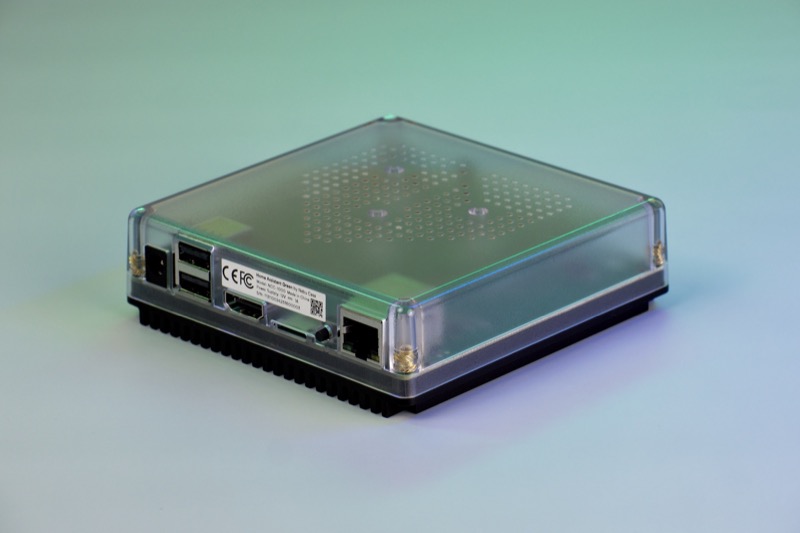
For flexible local control
Home Assistant Green
Official Nabu Casa hub with power supply and Ethernet cable. Radio adapters are separate.
Check it out: Home Assistant Green on Amazon.de (opens a new tab)Image: Home Assistant / Nabu Casa
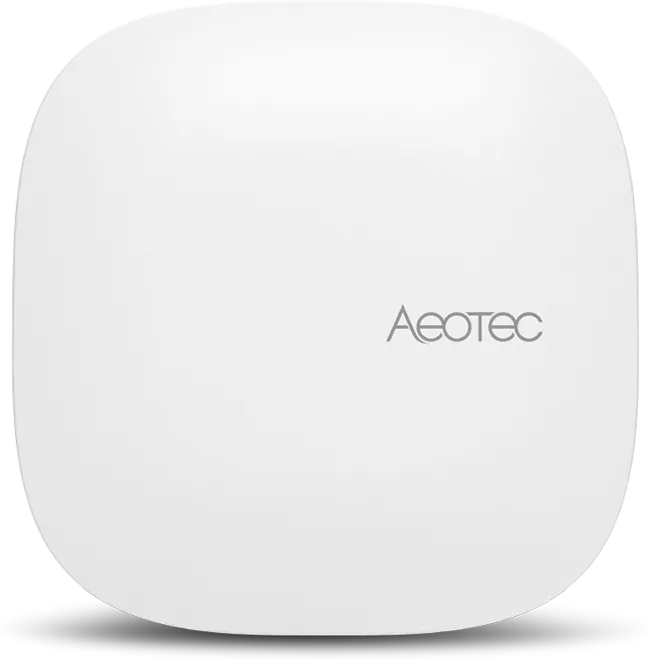
For a SmartThings household
Aeotec Smart Home Hub 2
European GP-AEOHUBV4EU model, based on SmartThings. This is the newer V4 hub.
Check it out: Aeotec Smart Home Hub 2 on Amazon.de (opens a new tab)Image: Aeotec
Affiliate links may earn us a commission. Compare the exact variant and current price before buying. Specifications are manufacturer claims, not our own test results.
Start with the home you already have
A hub earns its place when separate devices can work together. A hallway sensor turning on a lamp is a better starting point than a list of wireless logos. Write down the exact bulbs, sensors, heating controls and locks you want to connect, including their model numbers. Compatibility with a brand does not necessarily mean every feature of every device is exposed.
These two boxes also commit you to different ways of managing that home. Green runs Home Assistant, with extensive options for integrations and custom automations. Aeotec runs as a SmartThings hub, concentrating control in that platform’s app. The choice is as much about the interface and maintenance you want as the hardware on the sideboard.
Green includes the computer, not every radio
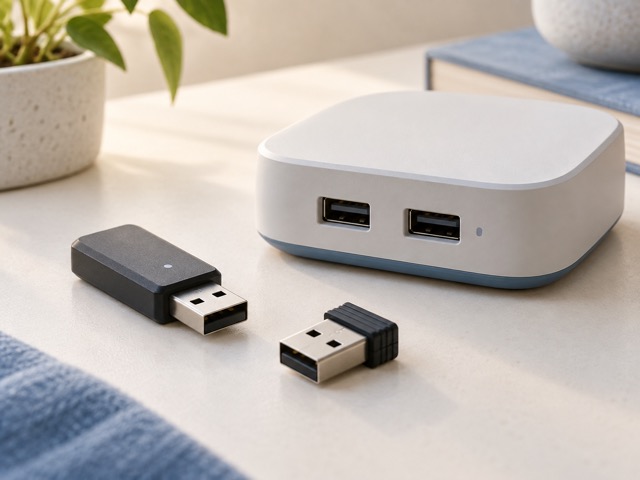
Home Assistant Green arrives with the operating system installed. Its Ethernet connection links it to your router, and compatible network devices can then be added through integrations. There is no built-in Wi-Fi, Zigbee, Thread or Z-Wave radio. A device using one of those radio networks needs the appropriate additional hardware or a supported bridge.
The two USB host ports give Green a practical expansion route. Buy an adapter for the protocol and integration you actually intend to use, rather than assuming one stick covers everything simultaneously. Its HDMI and microSD connections serve diagnostics and recovery; this is not a miniature desktop to attach to a television for everyday control.
Hub 2 changes the Aeotec compatibility equation
The selected Aeotec is GP-AEOHUBV4EU, also called V4. It includes Zigbee and Thread support alongside Matter, and can connect to the home network over Ethernet or Wi-Fi. This makes it a more complete starting package for compatible SmartThings sensors and lights. Check each accessory against current SmartThings support before filling a shopping basket.
Do not transfer the older Aeotec hub’s Z-Wave specification to this model. Hub 2 does not provide that radio. Likewise, the manufacturer currently describes its USB-A socket as having no function, despite broader expansion language in marketing. Bluetooth is identified for onboarding and diagnostics, not as a promise to control arbitrary Bluetooth accessories.
Matter and Thread solve different parts of the connection
Matter describes how compatible smart-home devices communicate at the application level. Thread is one of the networks that can carry that communication. A Matter device using Wi-Fi therefore has different network requirements from a Matter-over-Thread sensor. Looking only for the Matter logo can leave a missing border router in your setup.
For Green, plan the Matter integration and any required Thread border router together. Aeotec integrates the relevant controller and Thread capability, but device type and platform support still determine the available controls. A feature that works in a manufacturer’s own app may not appear through Matter. Identify the few actions that matter to you and verify those specifically.
Local control still has boundaries
Home Assistant is built around keeping home data and supported control local. SmartThings can also run compatible Edge devices and routines locally. Neither statement makes a cloud-dependent thermostat, voice assistant or remote notification independent of the internet. The weakest dependency in an automation determines whether the whole routine continues during an outage.
Consider a simple evening lighting routine: the sensor, hub and light must remain powered, and their communication path must remain available. If a cloud service supplies the trigger, local hardware alone will not keep it working. Test essential routines with the internet disconnected after setup, and retain ordinary physical controls that everyone in the household understands.
Choose how much system ownership you want
Green suits someone willing to choose integrations, manage updates and keep backups of a personalized installation. That flexibility is valuable when a home mixes manufacturers or has unusual requirements. It also creates decisions: which integration to trust, how to organize dashboards and how to recover if a configuration change causes trouble.
Aeotec suits a household already comfortable with the SmartThings app and its supported devices. It reduces the need to assemble radio hardware for common Zigbee and Thread use. There are still accounts, firmware updates and compatibility limits to manage. Neither purchase removes the need to record your setup and give other residents a usable way to control it.
Compare the complete system cost
For Green, include required radio adapters and any optional Home Assistant Cloud subscription used for convenient remote access. The subscription is not required for ordinary local operation. For Aeotec, include compatible accessories and any separate services attached to them. Compare the system that performs your intended routines, rather than just the two hub prices.
Choose Green when you value deeper control and are prepared to maintain it. Choose Hub 2 when SmartThings compatibility and built-in radios match your household. If you already own many Z-Wave devices, resolve that requirement before ordering either. A modest, well-supported setup is more useful than an ambitious one that needs constant troubleshooting.
Side by side
The differences that matter.
On smaller screens, swipe across the table to compare all products.
| At a glance | Home Assistant Green | Aeotec Smart Home Hub 2 |
|---|---|---|
| Platform | Home Assistant OS | Samsung SmartThings |
| Home network connection | Gigabit Ethernet | Ethernet or Wi-Fi |
| Built-in Zigbee | No; add suitable radio or bridge | Yes, Zigbee 3.0 |
| Thread hardware | Separate compatible border router needed | Built-in Thread support |
| Matter | Via Home Assistant integration; network prerequisites apply | Built-in Matter controller support |
| Z-Wave | Separate compatible USB radio required | Not included in Hub 2 |
| USB use | Two USB 2.0 host ports for supported accessories | USB-A currently listed without a function |
| Bluetooth | Separate adapter for direct Bluetooth connections | Onboarding and diagnostics |
| Local operation | Local integrations and automations | Compatible Edge devices and local routines |
| Setup approach | Browser or companion app; configure integrations | SmartThings app and account |
| Remote access | Optional Home Assistant Cloud or your own secure setup | SmartThings account and internet services |
A little more context
How to place home Wi-Fi equipment
Use distance, walls, wired backhaul and device locations to plan coverage.