
2 perspectives. One decision.
Eaton Ellipse PRO 1200 vs Brennenstuhl Premium-Protect-Line
Battery backup and surge protection serve different needs. Compare these German-socket options through outages, load limits, placement and ongoing maintenance.
Researched · Specification comparison
The short answer
Choose Eaton ELP1200DIN when you need time to keep essential equipment running or shut it down during an outage. Choose the Brennenstuhl strip when you need organized sockets with surge protection but no battery backup. They are different types of protection, so start with the problem you need to solve.
For brief outage protection
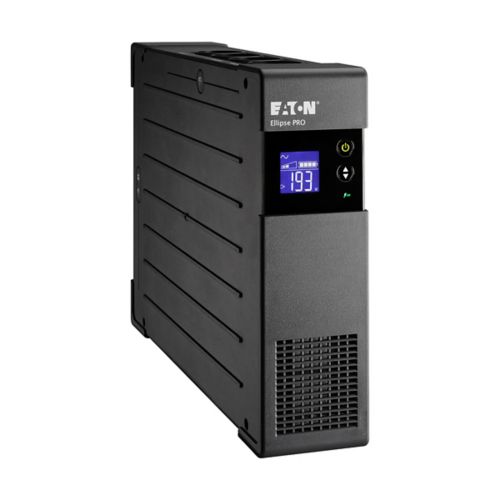
Eaton Ellipse PRO 1200 DIN
ELP1200DIN, 1200 VA / 750 W. Eight Schuko sockets: four with battery backup and four surge-only. Manufacturer front view shown; sockets are on the rear.
Check it out: Eaton Ellipse PRO 1200 on Amazon.de (opens a new tab)Image: Eaton
For sockets and surge protection
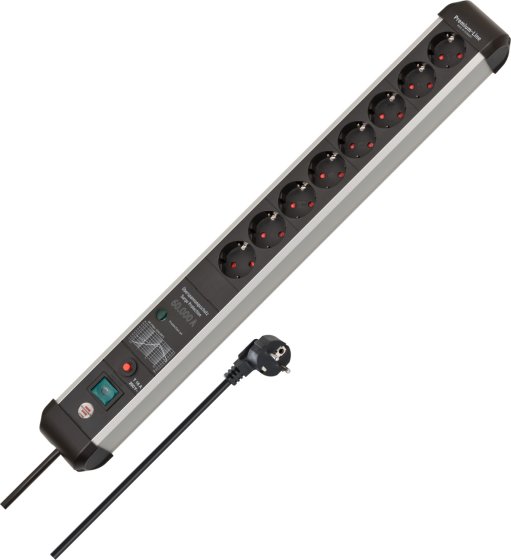
Brennenstuhl Premium-Protect-Line
Eight-way 3 m silver/black strip, article 1391010800, with 60,000 A aggregate surge-diversion specification.
Check it out: Brennenstuhl Premium-Protect-Line 8-way on Amazon.de (opens a new tab)Image: Brennenstuhl
Affiliate links may earn us a commission. Compare the exact variant and current price before buying. Specifications are manufacturer claims, not our own test results.
First decide whether you need power to continue
A brief power interruption can close a desktop session or interrupt work on connected equipment. A UPS contains a battery that can bridge an interruption or provide time for a controlled shutdown. A surge-protected strip addresses voltage transients while mains power is present, but it cannot keep a computer running when that supply disappears.
That makes this a choice between approaches, not a contest to find the more powerful extension lead. If losing power is the problem, the Brennenstuhl cannot perform the Eaton’s role. If all you need is a well-positioned group of sockets with surge protection, the UPS adds weight, maintenance and cost that may not solve an additional need.
The Eaton has two different groups of sockets
The selected ELP1200DIN is the German Schuko version of Ellipse PRO 1200. Four sockets combine battery backup and surge protection; the other four provide surge protection only. Equipment connected to those surge-only outlets will still turn off during a power failure. Eight sockets therefore does not mean eight battery-backed devices.
Plan which loads are essential before making connections. A desktop and its necessary display may need battery support, while other peripherals may not. Follow the socket markings and manufacturer instructions. The same product family also includes other regional outlet types, so confirm the DIN model on the selected listing rather than relying on a generic Ellipse PRO photograph.
Watts, volt-amps and surge current are different figures
Eaton rates this UPS at 1200 VA and 750 W. Both limits matter, and the watt figure is not a promise of a particular runtime. The connected load, battery condition and operating conditions determine how long support lasts. Leave appropriate headroom and use the manufacturer’s runtime information for the expected load instead of dividing model numbers into an imagined number of hours.
Brennenstuhl lists a maximum total load of 16 A or 3680 W, and a maximum aggregate surge-diversion figure of 60,000 A. The surge figure describes a brief transient specification, not current that can continuously power appliances. Neither that number nor the total load rating makes the strip a UPS. Do not compare it numerically with the Eaton’s 1200 VA as though they measure the same capability.
A UPS should support a shutdown plan
Eaton provides USB monitoring and supports compatible shutdown software. This can help a connected computer respond when battery power is running low. A cable in the box is only the beginning: the operating system and software need to recognize the UPS, and the shutdown behavior must be configured for the equipment you are protecting.
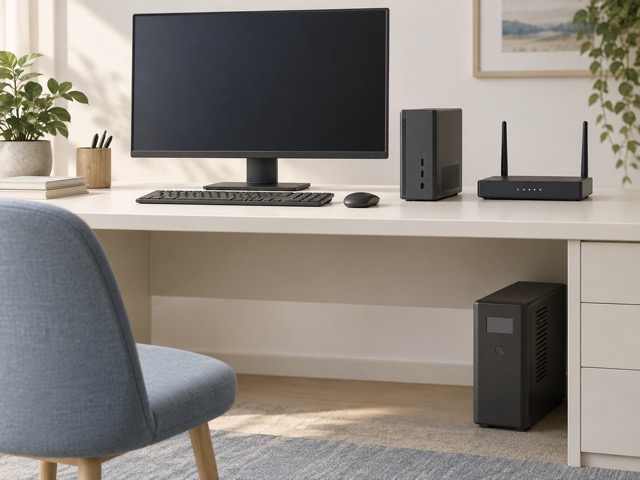
If continued connectivity matters, the router and any separate modem or optical terminal also need appropriate power support. Keeping a computer powered does not keep an unprotected network online, and a provider outage can still interrupt service. Choose the equipment that must continue operating as a group, then check the combined load and the time needed to save work or shut down.
Placement affects everyday comfort
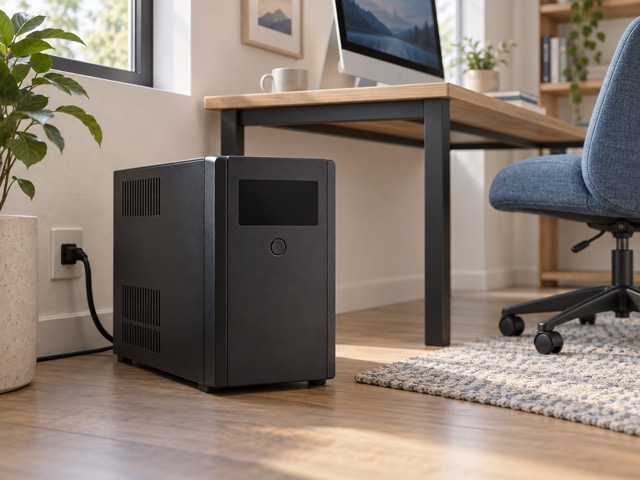
The Eaton is a substantial tower rather than a slim strip. Allow access to its display, cables and ventilation openings, and consider its operating sound before placing it beside a microphone or bed. The checked listing identifies a continuously active fan for this model. We have not measured its noise, so it should not be described as silent.
The Brennenstuhl’s aluminum body and three-metre cable are easier to arrange along a desk or mount using the specified fixing approach. Keep its switch and protection indication accessible. This is an indoor product. Neither device should be hidden where heat builds up or where cables and plugs are under strain simply to make the workspace look tidier.
Protection is an ongoing responsibility
A UPS battery ages even when power failures are rare. Eaton specifies replaceable sealed lead-acid batteries and battery monitoring, so eventual replacement belongs in the ownership cost. Follow its replacement and disposal instructions and respond to warnings. A battery-backed socket does not establish that an old battery can still support the same load for the same duration.
Surge protection also has limits and can be depleted by events. Follow the strip’s protection-status instructions and replace it when the manufacturer requires. Do not interpret the surge rating as a guarantee against every lightning event or wiring fault. Use either product according to its installation instructions and avoid creating a chain of extension strips and UPS outlets as an improvised expansion plan.
Which purchase solves your actual problem?
Choose the Eaton when an interruption would lose work or prevent an orderly shutdown, and when its documented capacity and runtime suit the essential load. Check compatibility with the connected equipment, including the UPS’s battery-output characteristics, before purchase. This model is designed for a computer setup; it is not a general promise to support any appliance that fits a Schuko socket.
Choose Brennenstuhl for a group of indoor devices that can tolerate an outage but need convenient switching and surge protection. Its lower maintenance burden follows from having no battery, not from providing equivalent protection. Compare current prices only after deciding which function you require, and include battery replacement or any shutdown setup in the Eaton’s longer-term cost.
Side by side
The differences that matter.
On smaller screens, swipe across the table to compare all products.
| At a glance | Eaton Ellipse PRO 1200 DIN | Brennenstuhl Premium-Protect-Line |
|---|---|---|
| Product type | Line-interactive UPS | Surge-protected power strip |
| Battery backup | Yes, on four designated sockets | No |
| Total sockets | 8 Schuko | 8 Schuko |
| Surge-only sockets | 4; the other 4 also have battery backup | All 8 |
| Power rating | 1200 VA / 750 W UPS capacity | 16 A / 3680 W maximum total load |
| Voltage regulation | Automatic voltage regulation | No UPS voltage regulation |
| Power-failure response | Battery operation for a limited duration | Connected devices lose power |
| Status controls | LCD and USB monitoring | Illuminated two-pole switch and protection indication |
| Computer shutdown communication | USB HID; compatible software required | None |
| Battery maintenance | Replaceable sealed lead-acid batteries | No battery |
| Connection details | C14 mains input; input cable supplied | 3 m H05VV-F 3G1.5 cable |
| Physical installation | Tower; allow ventilation | Indoor strip; wall or desk-leg mounting options |
A little more context
How to improve a home technology workspace
Fix positioning, connections and daily friction before adding more devices.