
2 perspectives. One decision.
CalDigit TS4 vs UGREEN Revodok Max 213
Compare Thunderbolt 4 ports, laptop charging, card readers and display compatibility before building a one-cable desk.
Researched · Specification comparison
The short answer
Choose CalDigit TS4 when you need more fast USB ports and separate audio connections. Choose UGREEN Revodok Max 213 when its 13-port arrangement covers your desk at a better current total price. Check the exact computer and display combination first: neither dock removes the host’s native monitor limits.
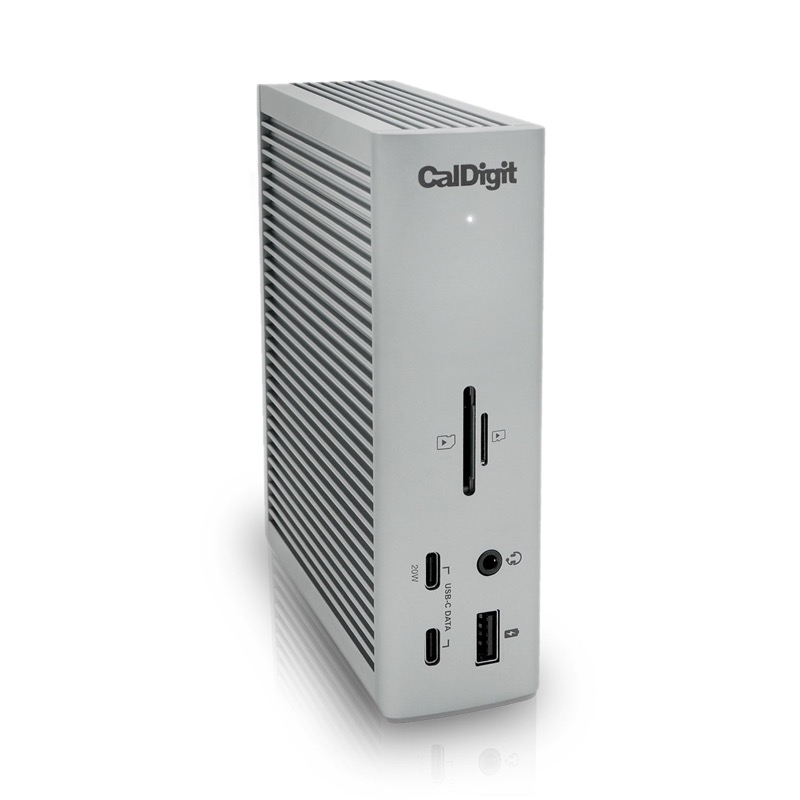
For a peripheral-heavy desk
CalDigit TS4
18-port Thunderbolt 4 dock with up to 98 W host charging.
Check it out: CalDigit TS4 on Amazon.de (opens a new tab)Image: CalDigit
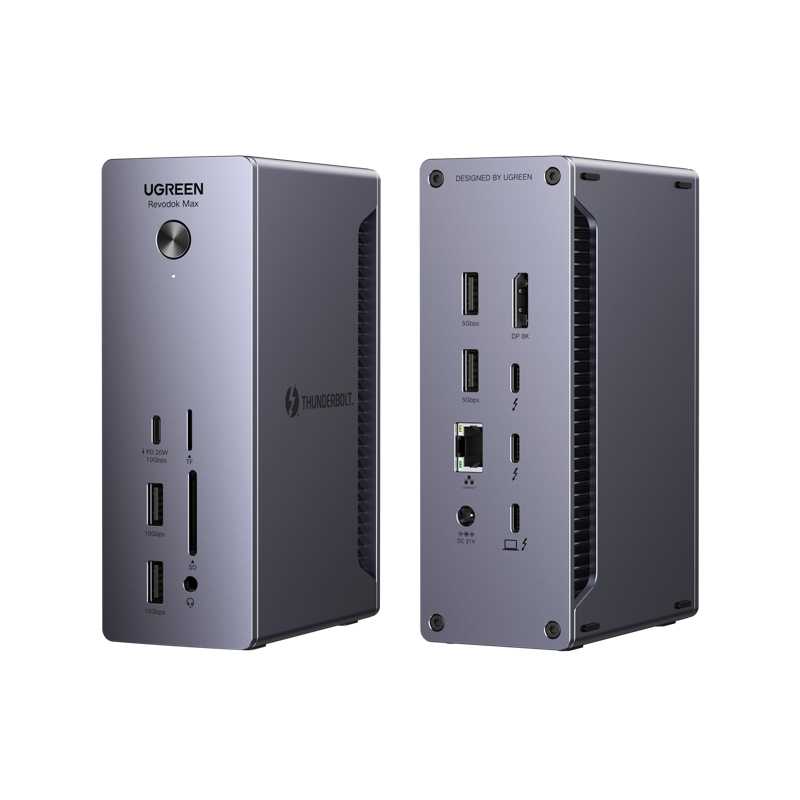
For the essential desk connections
UGREEN Revodok Max 213
13-port Thunderbolt 4 model with up to 90 W host charging. Image shows front and back of one dock.
Check it out: UGREEN Revodok Max 213 on Amazon.de (opens a new tab)Image: UGREEN
Affiliate links may earn us a commission. Compare the exact variant and current price before buying. Specifications are manufacturer claims, not our own test results.
List the connections your desk actually needs
A powered desktop dock is useful when the same peripherals stay on the desk while your laptop comes and goes. One host cable can connect that equipment and charge a compatible computer. Before counting ports, list the monitor inputs, USB devices, network connection and card readers you use. The dock with fewer empty sockets may already solve the whole problem.
These are the Thunderbolt 4 TS4 and Revodok Max 213. UGREEN uses similar names for other docks, including newer models with different capabilities. Check the model and charging rating on the selected listing. Both need an external power supply, so neither should be treated as a small bus-powered travel adapter that runs entirely from the laptop.
Eighteen ports does not mean eighteen spare sockets
The advertised totals include the port that connects the dock to the computer. Both provide two downstream Thunderbolt ports after that host connection is occupied. TS4 adds more ordinary USB ports: five USB-A and three USB-C data ports rated up to 10 Gb/s. UGREEN has four USB-A ports split between 10 and 5 Gb/s, plus one 10 Gb/s USB-C data port.
That difference is useful when a camera, audio interface, keyboard receiver and other equipment remain attached together. A mouse or keyboard does not require a 10 Gb/s port, so UGREEN’s slower rear sockets can be perfectly appropriate for those devices. Put high-bandwidth peripherals on suitable connections rather than assuming every USB socket on the dock has the same capability.
The computer sets the display limits
Both docks advertise display combinations that require a compatible host and suitable cables. The number of native external displays depends on the computer, its processor and operating system. For example, original M1 MacBooks are limited to one native external display, while M1 Pro and M1 Max models have different capabilities. A Thunderbolt dock alone does not override that distinction.
Check the exact laptop model against the dock’s compatibility information before buying for two monitors. Resolution and refresh rate also matter: a supported dual-4K arrangement does not automatically establish support for two displays at any refresh rate. These docks should not be confused with adapters using a separate software-based display technology to work around some native limits.
Plan the monitor cable path
Each dock has a DisplayPort 1.4 output, with additional supported display connections available through downstream Thunderbolt ports. Neither has a built-in HDMI socket. If your monitor only accepts HDMI, budget for the correct adapter and verify the intended resolution and refresh rate. CalDigit specifies an active adapter for converting its DisplayPort output to HDMI.
USB-C fallback is not the same as full Thunderbolt operation. A connector can fit while offering fewer features or a different display arrangement. CalDigit’s manual specifically says TS4 Ethernet requires a Thunderbolt host. That is a reason to check the detailed compatibility notes, especially when sharing a dock among older laptops with different kinds of USB-C ports.
Charging power is for the laptop, not a score
TS4 supplies up to 98 W to the host and Max 213 up to 90 W. The eight-watt difference is small compared with the gap between either dock and a workstation that requires substantially more power. A compatible laptop negotiates what it can accept; it does not draw the maximum simply because the dock can provide it.
For a high-power laptop, the original charger may still be needed during demanding work. The external power supplies also support the dock and connected equipment, so their 230 W and 180 W labels are not laptop charging outputs. Check the computer’s power requirements and the dock’s host rating separately before expecting one cable to replace the original adapter in every situation.
Cards, networking and audio can settle the choice
Both docks offer UHS-II SD and microSD readers and 2.5 Gb Ethernet. A fast reader still depends on the card, while a faster network connection needs compatible equipment elsewhere on the local network. These features can replace separate adapters, but their presence does not improve a slower card or internet connection. Assess them against the equipment you already own.
TS4 provides front headset audio and separate rear audio input and output, while UGREEN has a combined headset connection. CalDigit’s front and rear audio connections are not all active simultaneously; its manual describes selection behavior. If you already use a USB audio interface, these analog differences may have little value. If you regularly connect separate analog devices, they deserve closer attention.
One cable still carries shared traffic
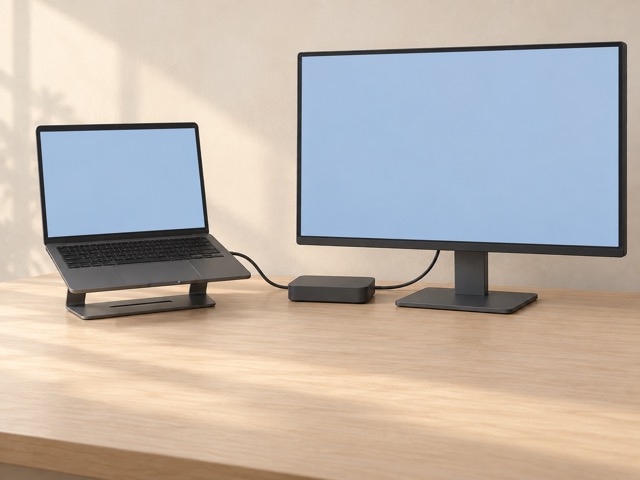
Thunderbolt 4’s 40 Gb/s connection is a shared link between the dock and host. Several connected devices do not each receive an independent 40 Gb/s path back to the computer. Display traffic and peripheral activity can affect the bandwidth available to other devices. We have not measured simultaneous transfer performance, sleep behavior or reconnect reliability on these docks.
Use the supplied suitable host cable and keep the power supply in a ventilated, accessible position. Allow space to insert memory cards and connect temporary devices at the front. A clean desk comes from routing those cables around your workflow, not from the dock removing every cable. The supporting image illustrates the arrangement rather than a complete wiring specification.
Choose the ports you would otherwise add
Start with TS4 if its extra fast USB sockets and audio arrangement would replace adapters you otherwise need. Start with Max 213 if its available ports already cover the desk and its current price makes the complete setup more attractive. Count any required monitor adapters and cables in that total, not just the price printed beside the dock.
If your monitor already has a capable hub and sufficient charging, check whether a separate dock adds anything essential. For either purchase, confirm the exact host, display modes and charging requirement first. Our recommendation follows documented connections and compatibility limits. It does not claim one dock is universally faster or more reliable without controlled testing.
Side by side
The differences that matter.
On smaller screens, swipe across the table to compare all products.
| At a glance | CalDigit TS4 | UGREEN Revodok Max 213 |
|---|---|---|
| Manufacturer port count | 18, including the host connection | 13, including the host connection |
| Thunderbolt connection | 40 Gb/s Thunderbolt 4 | 40 Gb/s Thunderbolt 4 |
| Downstream Thunderbolt ports | Two, plus one host port | Two, plus one host port |
| Maximum laptop charging | 98 W | 90 W |
| Additional USB-A ports | Five, up to 10 Gb/s | Two up to 10 Gb/s; two up to 5 Gb/s |
| Additional USB-C data ports | Three, up to 10 Gb/s | One, up to 10 Gb/s |
| Dedicated display output | DisplayPort 1.4 | DisplayPort 1.4 |
| Built-in HDMI | No; appropriate adapter needed | No; appropriate adapter needed |
| Ethernet | 2.5 Gb; TS4 requires a Thunderbolt host for Ethernet | 2.5 Gb; check host compatibility |
| Card readers | SD and microSD, UHS-II | SD and microSD, UHS-II |
| Analog audio | Front headset combo; rear input and output | Headset combo |
| Power adapter | 230 W external supply | 180 W external supply |
| Dual displays | Supported combinations depend on host, cables and resolution | Supported combinations depend on host, cables and resolution |
A little more context
How to improve a home technology workspace
Fix positioning, connections and daily friction before adding more devices.