
2 perspectives. One decision.
Galaxy Tab S10 FE vs reMarkable Paper Pro
A versatile Android tablet or a dedicated writing screen? Compare handwriting, PDFs, apps, portability and the exact accessories in these bundles.
Researched · Specification comparison
The short answer
Choose Galaxy Tab S10 FE when notes share your day with browsing, calls and apps. Choose reMarkable Paper Pro when a focused writing and document workspace is the priority. The selected reMarkable bundle includes Marker Plus and a black leather Book Folio; these are different kinds of tablet, not direct performance rivals.
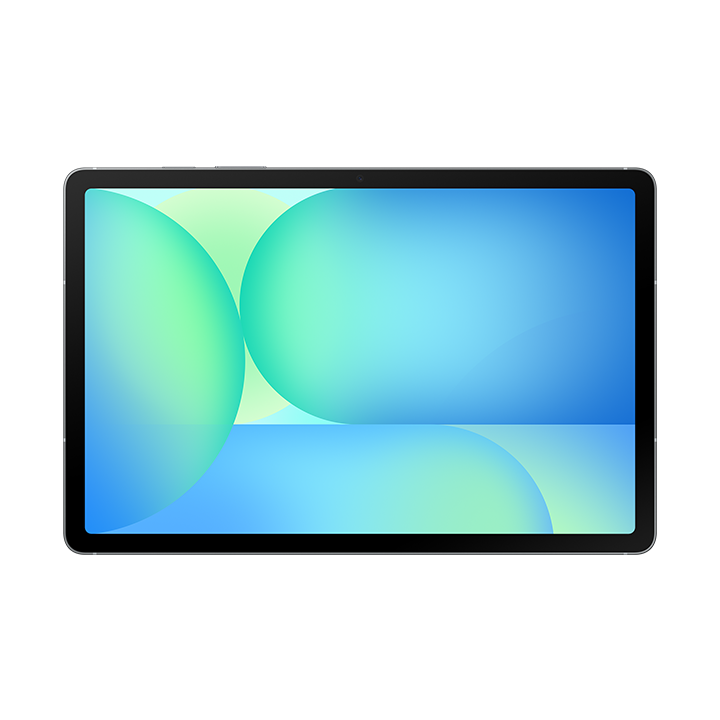
For notes alongside everyday apps
Galaxy Tab S10 FE
SM-X520 Wi-Fi model, 8 GB RAM and 128 GB storage in grey. S Pen included; keyboard and cover separate.
Check it out: Samsung Galaxy Tab S10 FE on Amazon.de (opens a new tab)Image: Samsung
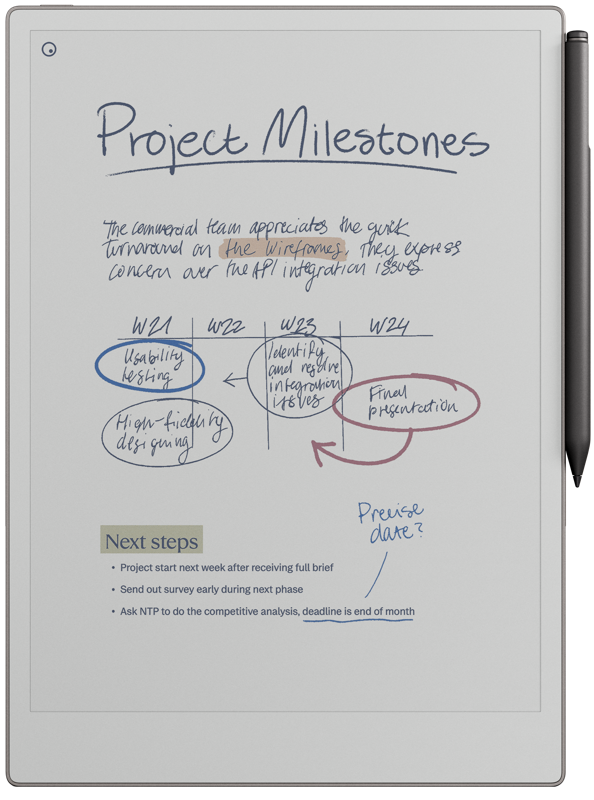
For focused handwriting and PDFs
reMarkable Paper Pro
Original 11.8-inch Paper Pro with Marker Plus and black leather Book Folio. Tablet and pen shown.
Check it out: reMarkable Paper Pro on Amazon.de (opens a new tab)Image: reMarkable
Affiliate links may earn us a commission. Compare the exact variant and current price before buying. Specifications are manufacturer claims, not our own test results.
Decide what happens after you finish a note
The useful question is not which tablet has the most features. It is what you want to do immediately after writing. If you need to check a website, join a call or open a work app on the same device, the Samsung is built for that mix. If you want the screen to remain a notebook, reMarkable takes a more focused approach.
That difference shapes the whole comparison. Paper Pro is not a slower Android tablet with fewer apps; its purpose is handwriting and documents. Galaxy Tab S10 FE offers a broader workspace, with the distractions and flexibility that come with it. Neither approach is universally better. Start with an ordinary working day, including how your notes leave the device.
The checked bundles include different accessories
The Samsung link selects the grey SM-X520 Wi-Fi model with 8 GB RAM and 128 GB storage. It includes an S Pen, while a keyboard or protective cover adds to the purchase. Do not confuse it with the larger FE+, a 5G version or a higher-capacity configuration that may appear elsewhere on the same marketplace.
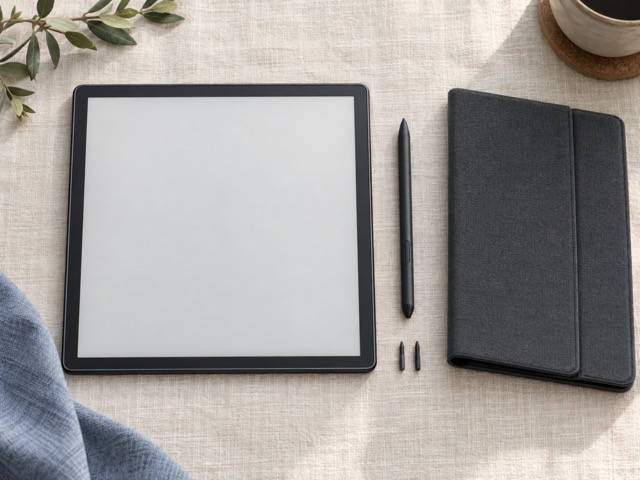
The reMarkable link is the original 11.8-inch Paper Pro packaged with Marker Plus and a black leather Book Folio. Its product photograph here shows the tablet and pen, not every item in the bundle. The folio matters when comparing total cost: a tablet-only price or a different pen-and-cover combination is not the same offer.
Color behaves differently on these screens
Samsung’s LCD is suited to scrolling, app interfaces, video and colorful documents, with refresh rates up to 90 Hz. Paper Pro uses a reflective color E Ink display with an adjustable reading light. The latter refreshes differently, so page changes and color updates should not be judged against a video tablet’s smooth animation.
Paper Pro provides a larger diagonal and a 4:3 page shape, which can be useful for documents. Samsung’s screen is narrower in proportion and slightly smaller. A specification alone cannot tell you which is more comfortable for your handwriting or a dense PDF. Try a representative page at a readable size, including margins and any tools that reduce the working area.
Think about the pen and the document workflow
Both include a pen, but they belong to different systems. Samsung’s S Pen works with supported Android note and drawing apps. Marker Plus is designed for Paper Pro and includes an eraser end. Do not assume spare pens or nibs are interchangeable. The feel of the surface, pressure response and tools in the selected app all contribute to the experience.
For PDF annotation, examine what happens after export. A student may need marked lecture slides on a laptop; a consultant may need a readable document to send to a client. Test whether handwriting, color and page layout survive the route you intend to use. Converting handwriting to text is useful, but accuracy depends on the handwriting and language rather than a promise that every page becomes perfect typed prose.
Apps can be useful or simply another interruption
Galaxy Tab S10 FE can combine note-taking with a browser, email, cloud services and compatible meeting apps. That makes it the more versatile companion if you regularly move between information sources. Availability and features still depend on each Android app. Check your essential work software rather than assuming its desktop version behaves identically on a tablet.
Paper Pro keeps its official experience centered on notes and documents, without a general app store or ordinary video-call workflow. That can help establish a quieter workspace if you already have a phone or computer for other tasks. It is a poor fit if your essential reading lives inside a specific Android app that you cannot replace with a supported document file.
Storage and subscriptions belong in the decision
Samsung’s selected configuration provides more internal storage and supports microSD expansion. That matters if the device also holds apps and media. Paper Pro’s 64 GB serves a narrower document workload. Neither nominal capacity is a promise that the entire amount is available for your files, and storage size alone says little about how easy a large notebook library is to organize.
reMarkable offers an optional Connect subscription for additional cloud and workflow features. Review the current plan against the functions you actually want rather than assuming the hardware bundle includes every service indefinitely. On Samsung, individual apps can have their own subscriptions. Include those recurring costs and confirm how you can export your work if you later change devices or services.
Which one will you keep using?
Choose Samsung when you want one portable screen for writing, research and everyday applications. Its broader capabilities are useful if the tablet must earn its place across several activities. Include a suitable cover and any keyboard you genuinely need, but do not buy them merely to imitate a laptop if your work depends on desktop-only software.
Choose Paper Pro when you already have the other computing tools and want a dedicated place for handwritten thinking and document review. Its larger reflective screen and included folio support that role. We have not performed a controlled pen-latency or battery comparison, so the decision here rests on verified features and workflow fit rather than an invented score for writing feel.
Side by side
The differences that matter.
On smaller screens, swipe across the table to compare all products.
| At a glance | Galaxy Tab S10 FE | reMarkable Paper Pro |
|---|---|---|
| Display type | LCD color touchscreen | Canvas Color display based on E Ink Gallery 3 |
| Screen size | 10.9 inches | 11.8 inches |
| Resolution | 2304 × 1440 | 2160 × 1620 |
| Refresh approach | Up to 90 Hz | E Ink page refresh; not a video display |
| Selected storage | 128 GB; microSD expansion supported | 64 GB internal |
| Selected memory | 8 GB RAM | 2 GB RAM |
| Included pen | S Pen | Marker Plus with eraser |
| Included cover | No cover in selected listing | Black leather Book Folio |
| General-purpose apps | Android apps | Dedicated reMarkable software |
| Cameras and video calls | Front and rear cameras; compatible calling apps | No cameras or video-call apps |
| Lighting | Backlit LCD | Adjustable reading light |
| Wireless model | Wi-Fi; this is not the 5G version | Wi-Fi |