
2 perspectives. One decision.
Kindle Colorsoft 16 GB vs Kobo Libra Colour
Compare seven-inch colour reading, page buttons, handwritten notes and book compatibility in the standalone Kindle and Kobo models.
Researched · Specification comparison
The short answer
Choose Kindle Colorsoft 16 GB when the Kindle library and reading workflow already suit you. Choose Kobo Libra Colour when you want physical page buttons, compatible EPUB files or optional stylus notes. Book access and how you hold the reader matter more than choosing the larger storage number.
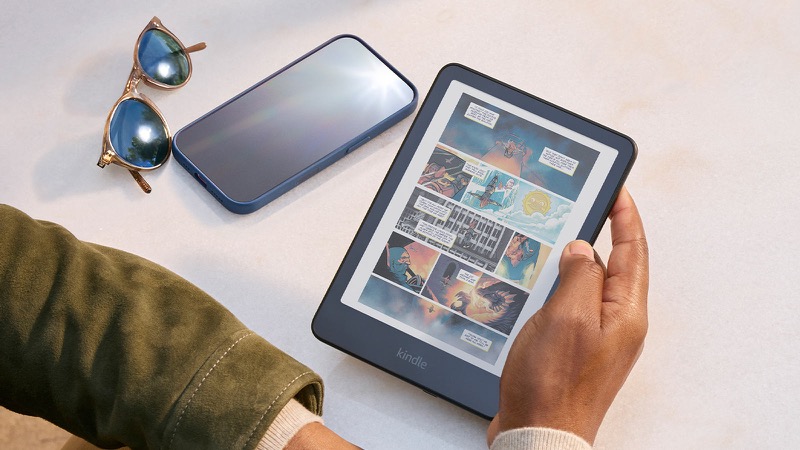
For the Kindle reading workflow
Kindle Colorsoft · 16 GB
Black standalone 16 GB reader. Not the 32 GB Signature Edition; scene props excluded.
Check it out: Amazon Kindle Colorsoft 16 GB on Amazon.de (opens a new tab)Image: Amazon
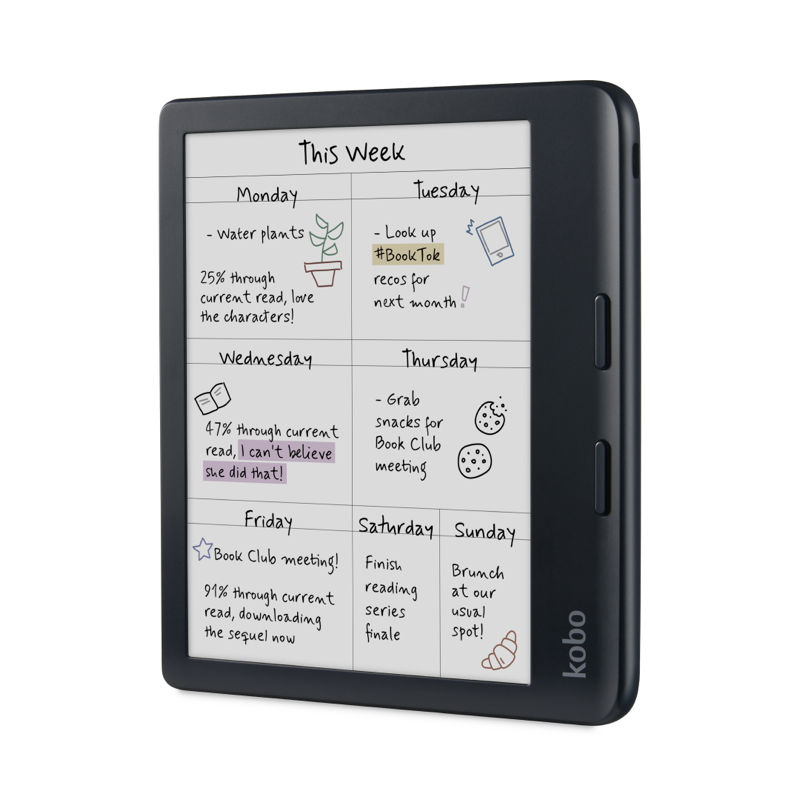
For buttons and optional handwritten notes
Kobo Libra Colour
Black 32 GB standalone reader. Kobo Stylus 2 is sold separately.
Check it out: Kobo Libra Colour on Amazon.de (opens a new tab)Image: Kobo
Affiliate links may earn us a commission. Compare the exact variant and current price before buying. Specifications are manufacturer claims, not our own test results.
Start with the books you want to read
An e-reader is useful when it gives you convenient access to the books you actually choose. Before comparing hardware, check several titles in your preferred store and confirm how your existing purchases can move. File protection and publisher choices can affect portability. Do the same for any library service you use rather than assuming its phone app works on a dedicated reader.
Kindle Colorsoft fits naturally into the Kindle store and reading workflow. Kobo Libra Colour combines the Kobo store with support for compatible files from other sources. Neither store contains every title, edition or language. The best hardware choice can become frustrating if acquiring your regular reading material requires a transfer process you do not want to repeat.
Colour adds context without becoming a tablet
Both devices have seven-inch colour e-paper screens. Colour can help distinguish highlights, show cover artwork and make illustrated passages easier to follow. It is a different display experience from a bright phone or tablet screen. Do not judge these readers by expecting the saturated appearance, fast animation or general-purpose apps of those devices.
Kobo specifies 300 pixels per inch for black-and-white content and 150 for colour on its Kaleido 3 panel. A small colour illustration and a full-page comic are also different reading challenges. At seven inches, fine comic lettering or a dense PDF page may require zooming. Try a representative sample of your material before buying mainly for large-format documents.
The way you hold it matters
Libra Colour has physical page-turn buttons beside a wider grip area and supports different reading orientations. That gives you an alternative to tapping the screen when holding the device in one hand. Colorsoft uses touchscreen page turning. Consider which movement feels natural when reading on a sofa, standing on a train or resting the reader on a table.
A case changes the weight and how the device sits in your hand. Compare the whole combination rather than the bare device alone. Manufacturer images show the shape but cannot establish long-session comfort. Kobo’s buttons are a concrete hardware distinction; whether they are worth choosing a different reading platform is a personal decision.
Handwritten notes are a separate purchase
Libra Colour supports Kobo Stylus 2 for compatible annotation and notebook functions. The pen is sold separately from the standalone reader linked here. Include that cost if handwriting is the reason you are considering Kobo. A product photo displaying notes illustrates a supported function, not confirmation that a stylus is inside the selected package.
Colorsoft 16 GB supports typed notes and colour highlighting, but it is not a pen-writing Kindle. Do not borrow stylus features from Kindle Scribe when assessing it. If extensive handwritten study is the main purpose, think about page size and document navigation as well as pen compatibility. A seven-inch reading device leaves limited space for a dense page and annotations.
Brightness, warmth and the correct Kindle edition
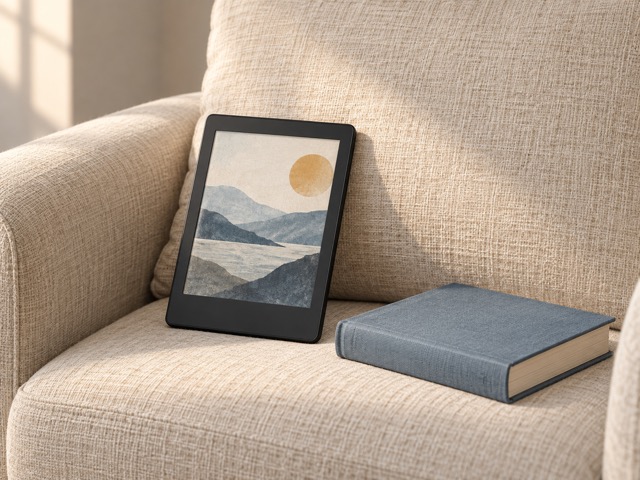
Both readers let you adjust the light and shift toward a warmer appearance for different surroundings. This gives more control over the reading surface, but it is not a promise of a health or sleep benefit. Ambient light, chosen brightness and personal preference still matter. A comfortable setting in one room may be unsuitable in another.
The linked Colorsoft is the 16 GB base model introduced in 2025, not a newly invented 2026 generation. It does not include the Signature Edition’s auto-adjusting front light or wireless charging. It charges over USB-C. Amazon advertises up to eight weeks under specified conditions; that is not a shared battery test against Kobo, and your reading habits can change runtime.
Files, libraries and storage need a closer look
Kobo supports formats including EPUB, PDF and comic archives, with protection and transfer requirements depending on the file. Kindle can receive compatible EPUB files through Send to Kindle, which converts them for the Kindle workflow. That is different from claiming native support for every EPUB copied directly over USB. Test the process with the kinds of files you own.
Library access depends on your library, service and country. Do not assume a Kobo or Kindle supports every local borrowing system. The 32 GB Kobo has more nominal storage than the 16 GB Kindle, but text novels take much less space than illustrated books or large documents. Start with your collection rather than treating capacity alone as a measure of reading quality.
Which reader should you choose?
Choose Colorsoft 16 GB when you already like buying and reading through Kindle and want colour covers and highlights without paying for Signature extras. Choose Libra Colour when its physical buttons, compatible file workflow or separately purchased stylus support will see regular use. Both should be assessed as reading devices first, with colour as an addition to that experience.
Both have water-resistant designs, but follow the manufacturer’s care instructions and do not treat that as protection from every liquid or accident. Compare the selected device, case and any pen as a complete purchase. We have not tested display uniformity, waterproofing or battery endurance; the recommendation rests on documented features and practical differences in access and handling.
Side by side
The differences that matter.
On smaller screens, swipe across the table to compare all products.
| At a glance | Kindle Colorsoft · 16 GB | Kobo Libra Colour |
|---|---|---|
| Screen size | 7 inches | 7 inches |
| Display type | Colorsoft colour e-paper | E Ink Kaleido 3 colour e-paper |
| Storage | 16 GB | 32 GB |
| Page turning | Touchscreen | Touchscreen and physical buttons |
| Front light | Adjustable brightness and warmth | ComfortLight PRO brightness and warmth |
| Automatic brightness in selected model | No; not Signature Edition | Manual brightness adjustment |
| Handwritten stylus notes | Not a feature of this model | Supported with separately sold Kobo Stylus 2 |
| Charging | USB-C; no Signature wireless charging | USB-C |
| Water resistance | Waterproof design; follow manufacturer care guidance | IPX8; manufacturer specifies fresh water, 2 m for 60 minutes |
| EPUB workflow | Compatible files through Send to Kindle conversion | Supported EPUB files; protection and transfer requirements apply |
| Selected package | 16 GB black device, standalone | 32 GB black device, standalone |
A little more context
How to choose an e-reader
Compare screen size, library access, note-taking and portability before choosing an ecosystem.