
2 perspectives. One decision.
MX Anywhere 3S vs Signature M650 L: travel size or a fuller grip?
Compare two quiet-click mice through hand fit, scrolling, device switching and battery upkeep.
Researched · Specification comparison
The short answer
Choose MX Anywhere 3S for a compact travel kit and switching between three devices. Choose M650 L for a larger right-handed shape, a replaceable AA battery and an included USB receiver.
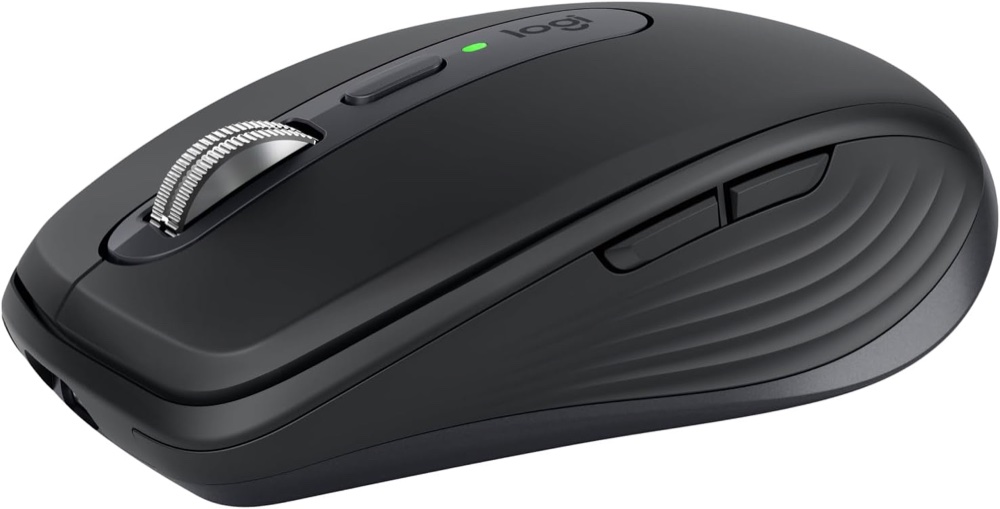
For travel and device switching
MX Anywhere 3S · graphite
One graphite Universal standalone mouse; charging cable included, Bolt receiver separate.
Check it out: Logitech MX Anywhere 3S on Amazon.de (opens a new tab)Image: Logitech / Amazon.de product listing
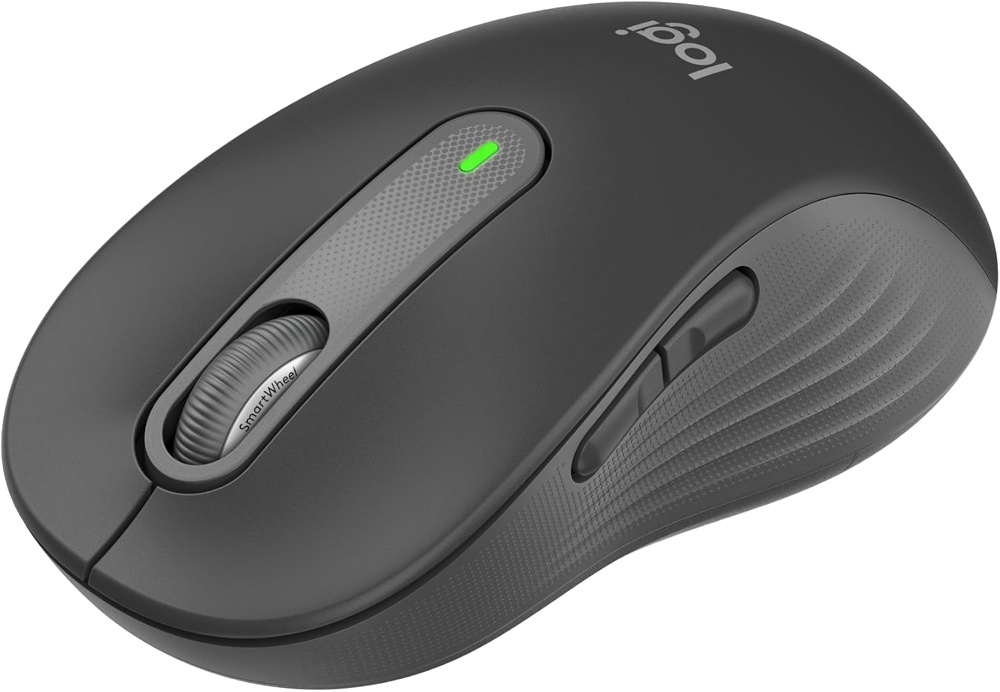
For a larger hand
Signature M650 L · right-handed
One large right-handed graphite mouse, listed as black; AA battery and Bolt receiver included.
Check it out: Logitech Signature M650 L on Amazon.de (opens a new tab)Image: Logitech / Amazon.de product listing
Affiliate links may earn us a commission. Compare the exact variant and current price before buying. Specifications are manufacturer claims, not our own test results.
Start with hand fit

These mice solve different everyday problems. Anywhere 3S saves space in a bag, while M650 L gives a larger hand more body to rest on. Compare the dimensions with a mouse you already find comfortable before treating either shape as an upgrade.
The linked M650 is the large right-handed version. Its black listing label refers to the graphite finish. The smaller M650 and the large left-handed edition are separate choices.
Choose your scrolling habits
Anywhere’s magnetic wheel offers a deliberate choice between stepped and free-spinning scrolling, with automatic switching. Holding a side button while turning the wheel adds horizontal movement. That can help with wide spreadsheets.
M650’s SmartWheel changes scrolling behaviour according to your flick. It suits ordinary documents and websites without another wheel-mode button. Both reduce click noise, but neither is a promise of completely silent operation or better comfort for every person.
Count the computers you use
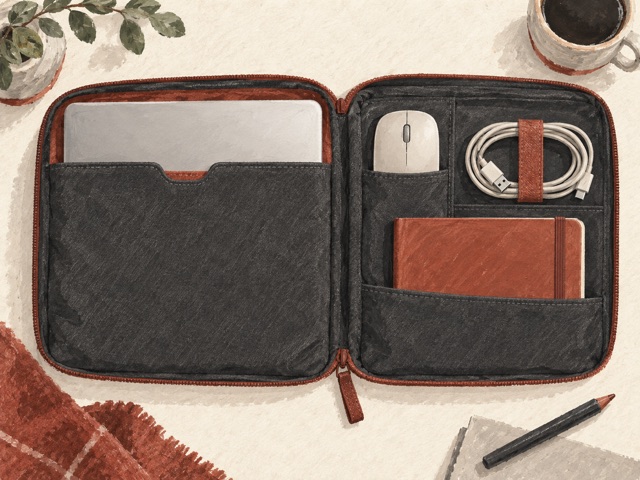
Anywhere stores three device connections and has an underside Easy-Switch button. M650 supports Bluetooth or Bolt, but does not offer the same three-device switching workflow. The listing’s multi-device wording describes compatibility, not an Easy-Switch feature.
The M650 box supplies a USB-A Bolt receiver. Anywhere’s retail box does not. If Bluetooth is unavailable on your work computer, include the separate receiver in your purchasing decision.
Pick a battery routine
Anywhere charges through USB-C and can keep working while connected, but the cable does not become a wired mouse connection. Its battery-life figures are manufacturer estimates, influenced by use.
M650 uses a replaceable AA cell. That avoids another charging cable and lets you restore power with a spare battery. Neither battery approach automatically outweighs the shape and switching features you will use each day.
Check software access
Options+ provides custom button actions on supported Windows and macOS computers. Other supported systems offer basic pointer functions without the same software extras. Check whether your employer allows installation before depending on those shortcuts.
Choose Anywhere for compactness and frequent switching; choose M650 L for a fuller grip and straightforward single-computer work. We have not measured tracking, click noise or long-session comfort, so these are specification-based recommendations.
Side by side
The differences that matter.
On smaller screens, swipe across the table to compare all products.
| At a glance | MX Anywhere 3S · graphite | Signature M650 L · right-handed |
|---|---|---|
| Linked version | Universal graphite; B07W4DGLY6 | Large right-handed graphite/black; B07W5JHM12 |
| Dimensions | 100.5 × 65 × 34.4mm | 118.7 × 66.2 × 42mm |
| Weight | 99g | 115.4g with battery |
| Sensor | Darkfield high precision | Logitech Advanced Optical Tracking |
| Sensitivity range | 200–8000dpi, in 50dpi steps | 400–4000dpi through software |
| Glass tracking | Supported; glass at least 4mm thick | No glass-tracking claim |
| Main controls | 6 buttons including wheel-mode switch | 5 buttons plus underside connection button |
| Scroll wheel | MagSpeed; ratchet and free-spin, automatic mode shift | SmartWheel; precision and fast scrolling |
| Horizontal scrolling | Hold side button while turning wheel | Software-dependent; no dedicated horizontal wheel |
| Wireless connection | Bluetooth Low Energy; Logi Bolt compatible | Bluetooth Low Energy or Logi Bolt |
| Receiver supplied | No; sold separately | Yes; USB-A Logi Bolt |
| Saved device switching | Easy-Switch for up to 3 devices | No Easy-Switch; one active device |
| Logitech Flow | Supported through Options+ on compatible computers | Not supported |
| Power | 500mAh rechargeable Li-Po | One replaceable AA battery |
| Claimed battery life | Up to 70 days; one minute charging for up to 3 hours | Up to 24 months with Bolt or 20 months with Bluetooth; use-dependent |
| Charging / wired use | USB-C charging; pointer connection remains wireless | No charging port or wired mode |
| Wireless range | Up to 10m; environment-dependent | Up to 10m; environment-dependent |
| Software | Logi Options+ on supported Windows/macOS | Logi Options+ on supported Windows/macOS |
| Other platforms | Basic functions on supported Linux, ChromeOS, iPadOS and Android devices; check host Bluetooth | Basic functions on supported Linux, ChromeOS, iPadOS and Android devices; check host Bluetooth |
| Package | Mouse, USB charging cable, documentation | Mouse, Logi Bolt receiver, AA battery, documentation |