
Product spotlight
Focusrite Scarlett 2i2 4th Gen: build a focused recording setup
Understand its two input channels, recording quality, gain controls, monitoring and connection requirements before starting a home studio.
Researched · Researched buying guide
The short answer
We recommend Scarlett 2i2 4th Gen for a singer with an instrument, a two-microphone conversation or a compact recording desk. Choose a larger interface when you need more simultaneous inputs, separate headphone mixes or expansion. This link is for the interface, not a microphone-and-headphones studio bundle.
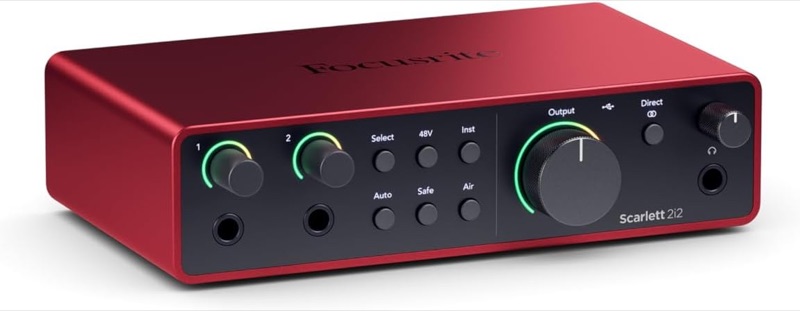
For two-input recording
Scarlett 2i2 · 4th Gen
Standard red fourth-generation 2i2, interface-only option. Microphones, headphones and instrument cables are separate.
Check it out: Focusrite Scarlett 2i2 4th Gen on Amazon.de (opens a new tab)Image: Focusrite / Amazon.de product listing
Affiliate links may earn us a commission. Compare the exact variant and current price before buying. Specifications are manufacturer claims, not our own test results.
An interface connects a small recording system
Scarlett 2i2 sits between microphones or instruments and your computer. It provides the inputs, conversion and listening connections for a small recording setup. For someone recording a voice and guitar together, the two available analogue channels are a clear match to the task.
Start by counting the sources you need at the same time. A stereo keyboard already uses two inputs; adding a microphone would require another channel elsewhere. The sensible buying decision is about the session you want to record, not whether the interface has more sockets than your laptop.
Four input sockets do not mean four channels
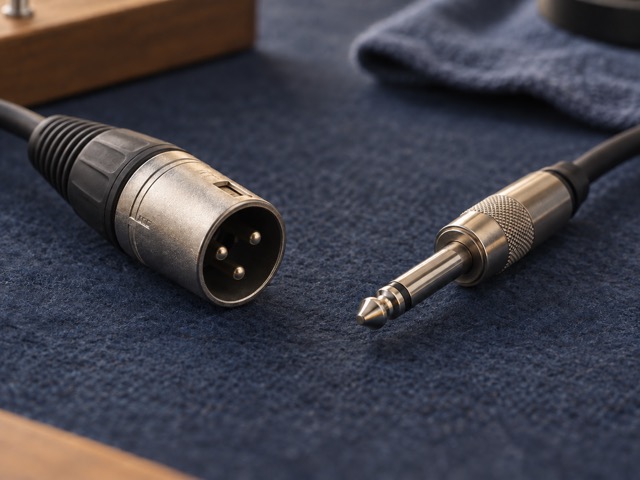
The rear XLR sockets accept microphone connections, and the front 6.35 mm sockets serve line or instrument sources. On each channel, connecting a front jack disables the corresponding microphone input. The device therefore records two analogue sources simultaneously, despite having four physical input sockets.
Select the appropriate input mode for the connected source. An instrument pickup and a line-level output have different needs. The specification table makes that distinction explicit so a reader does not buy this interface expecting to record two microphones plus a stereo synthesizer in one take.
Read the audio specifications by signal path
The interface supports 24-bit recording at sample rates through 192 kHz. The published microphone-input dynamic range is 116 dB, while 120 dB applies to the line outputs. Those figures describe different paths through the hardware; the larger number is not a blanket specification for every connector.
A high sample-rate setting is not automatically the best setting for a project. Choose a rate appropriate to the recording workflow and keep it consistent across the session. Microphone placement, room sound and input level remain important even when the converter specifications comfortably cover the intended work.
Gain assistance still needs a sensible recording setup
The fourth-generation model adds Auto Gain and Clip Safe, alongside its Air sound options. These controls help manage the input stage, but they do not remove the need to rehearse the loudest part of a performance or listen back to a short test recording.
The 69 dB microphone gain range gives useful adjustment for different sources. It cannot repair poor microphone placement, noise captured in the room or distortion that occurs before the signal reaches the interface. Use phantom power only as required by the connected microphone and its instructions, rather than treating it as a quality boost.
Plan how you will listen
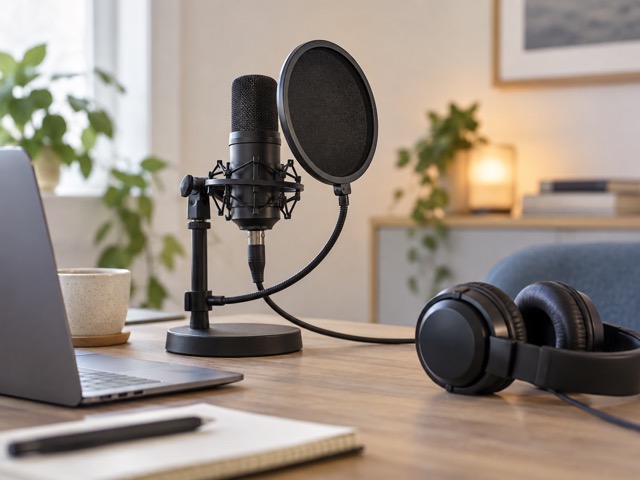
Two balanced line outputs serve a stereo monitor setup, and a front headphone socket has its own volume control. The headphone feed follows the same left/right output pair. Separate knobs do not mean the performer and engineer can receive independently routed mixes from this interface.
Direct monitoring is useful when you want to hear the input without relying on the computer’s round trip. Listening through software is a different workflow, especially when you need to hear an effect while performing. Choose deliberately and check for doubled monitoring rather than enabling every available path at once.
Budget for the complete recording chain
This Amazon option is the standard interface, not the 2i2 Studio bundle or blue anniversary edition. You still need suitable microphones or instruments, the right cables and a way to listen. A USB microphone cannot simply be plugged into an analogue XLR socket to gain an extra recording channel.
Install the current supported Focusrite software and confirm your computer meets its requirements. The main USB-C connection carries USB 2.0 data and power; the second USB-C socket is for additional power. Its presence does not provide a second computer connection, Thunderbolt operation or a hub for other accessories.
Our recommendation: match it to a two-source session
The 2i2 is a focused choice for solo music work, spoken recording and a compact desk where two inputs cover the session. Its loopback channels can bring computer playback into a recording workflow, but they do not add physical microphone inputs. Test routing before an important recording.
Choose a different interface if you already need several microphones, multiple independent listening mixes or digital expansion. The official weight is 595 g; the checked retailer table gives a different figure, so we use the manufacturer’s measurement. Our recommendation is based on verified specifications and workflow fit, not listening tests.
Technical details
Specifications and compatibility.
| Specification | Details |
|---|---|
| Analogue recording channels | 2 simultaneous inputs |
| Microphone connections | 2 rear XLR sockets |
| Line/instrument connections | 2 front 6.35 mm sockets; each replaces its corresponding mic input |
| Balanced line outputs | 2 rear 6.35 mm TRS sockets |
| Headphone output | 1 stereo 6.35 mm socket with separate volume control |
| Headphone routing | Shares the left/right line-output feed |
| Recording format | 24-bit; 44.1, 48, 88.2, 96, 176.4 or 192 kHz |
| Microphone gain range | 69 dB |
| Microphone frequency response | 20 Hz–20 kHz, ±0.06 dB (manufacturer specification) |
| Microphone dynamic range | 116 dB A-weighted |
| Line-output dynamic range | 120 dB A-weighted; not the microphone-input figure |
| Phantom power | Switchable 48 V |
| Gain and sound controls | Auto Gain, Clip Safe, Air modes and instrument selection |
| Monitoring | Direct monitoring and computer playback |
| Computer connection | USB 2.0 over USB-C; data and power |
| Additional power socket | USB-C, 5 V DC; specified power requirement 4.5 W / 900 mA |
| Loopback | 2 software loopback channels; no extra physical inputs |
| MIDI / digital expansion | No MIDI DIN or ADAT ports |
| Dimensions and weight | 180 × 117 × 47.5 mm; 595 g (manufacturer) |
| Setup software | Focusrite Control 2; check current computer/OS compatibility |