
Product spotlight
Elgato Stream Deck MK.2: put everyday actions within reach
A closer look at the 15-key controller: useful workflows, software compatibility, profiles and the limits of one-button automation.
Researched · Researched buying guide
The short answer
We recommend Stream Deck MK.2 for people who repeatedly reach for the same commands across work, editing or streaming apps. Its value comes from the actions you configure and use. Skip it if a few familiar keyboard shortcuts already cover your routine or you need standalone hardware control without a computer.
For repeated computer workflows
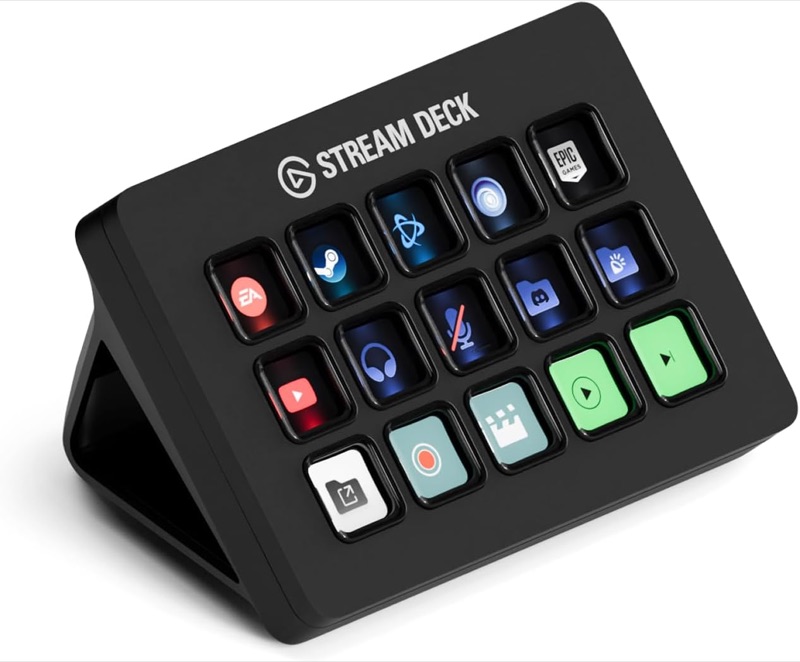
Elgato Stream Deck MK.2
Black 15-key MK.2 with classic membrane keys and desktop stand. The selected listing is not the newer Scissor Keys option.
Check it out: Elgato Stream Deck MK.2 on Amazon.de (opens a new tab)Image: Elgato / Amazon.de product listing
Affiliate links may earn us a commission. Compare the exact variant and current price before buying. Specifications are manufacturer claims, not our own test results.
Start with the actions you repeat
A controller earns its place when you can name the tasks it will simplify. Opening a project folder, changing an editing tool or muting a supported meeting app are useful starting points. Write down the actions that interrupt your concentration during an ordinary day before choosing a layout.
The fifteen visible keys provide a small, dedicated control surface beside your keyboard. That can make occasional commands easier to discover than memorized shortcuts. It also adds another object to the desk, so keep the first layout focused enough that reaching for it becomes a habit rather than another decision.
The selected model has classic keys
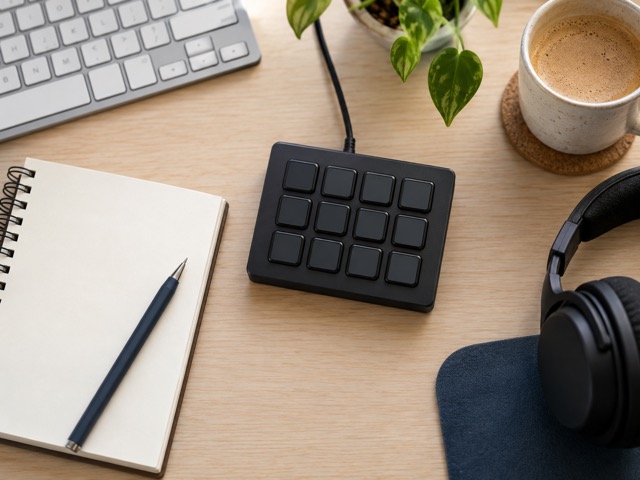
This Amazon link selects the black Stream Deck MK.2 with classic membrane buttons. A Scissor Keys version appears as another option on the same listing. Those names describe different key mechanisms; a headline mentioning Stream Deck alone does not establish which version is selected.
The removable stand tilts the controls toward you. The body is shallow enough to move around a workspace, but allow room behind it for the cable. This is a USB peripheral, so placing it beside a laptop does not give it a wireless connection or let it run after that laptop is disconnected.
Check the software as well as the connector
Elgato’s current product page lists Windows 11 and macOS 13 as its minimum operating systems. Older MK.2 documentation quotes older versions. We use the current requirements for a new setup; an old compatibility line on a retailer page is not a promise that the latest software supports an older computer.
Elgato also confirms a packaging change from a USB-C-to-USB-A cable to a USB-C-to-USB-C cable. Check the supplied cable against the ports on your machine. A connector adapter can solve a physical mismatch, but it does not resolve unsupported software or a plugin that requires a different operating system.
Choose hotkeys or an app integration deliberately
A hotkey action sends a keyboard shortcut. That is useful for an application with an established shortcut system, but the active window and current context can affect what happens. Try a harmless command first, then test the layout in the situations where you actually intend to use it.
A plugin can expose application-specific commands and status information. Check what that particular integration supports instead of assuming every key can show live feedback from every app. A picture of a microphone on a button is not, by itself, confirmation that all recording software or meeting apps have been muted.
Organize around tasks rather than filling every key
Profiles, pages and folders let one controller hold several sets of actions. For example, you could keep everyday computer commands separate from a recording session. Leave the commands used most often on the first page, and give less frequent tasks a clear home rather than building a maze of nested folders.
Multi Actions can run a sequence from one key. Start with a short sequence that is easy to observe and recover from. Applications may take different amounts of time to open or respond, so a complex chain should be tested before relying on it during a presentation or live recording.
Budget for configuration and the apps you use
The Stream Deck application is a free download, but that does not make every connected service, plugin or icon pack free. Decide whether you need a paid integration before treating the controller price as the entire cost. The manufacturer’s gallery demonstrates possible actions; it is not a bundle of all the pictured software.
Save a backup of a layout once it becomes useful. Review integrations when you change computers or update a major application, and keep labels understandable. Spending an evening decorating every key is optional; identifying three genuinely useful actions is a better way to judge whether this tool suits your routine.
Our recommendation: useful when the work repeats
We would shortlist the MK.2 for editors, presenters and people with a repeatable collection of computer tasks. Its strength is putting recognizable controls in a consistent physical place. The article and specification table describe researched capabilities, not measured time savings or a hands-on assessment of button feel.
Pass if you rarely repeat commands, prefer keeping both hands on the keyboard, or need physical dials for continuous adjustment. Before buying, confirm the classic-key variant, your operating system and your essential app integrations. Those checks matter more than the number of colorful icons shown in a promotional photograph.
Technical details
Specifications and compatibility.
| Specification | Details |
|---|---|
| Physical controls | 15 individually customizable LCD keys |
| Selected key mechanism | Classic membrane keys; not Scissor Keys |
| Connection | USB 2.0; removable cable and USB-C socket on device |
| Wireless operation | No built-in wireless connection |
| Power | Supplied through USB; no charging routine |
| Dimensions without stand | 118 × 84 × 25 mm |
| Weight | 145 g without stand; 270 g with stand |
| Desk support | Removable desktop stand |
| Appearance | Interchangeable faceplate and customizable key images |
| Configuration software | Elgato Stream Deck for Windows and macOS |
| Current software requirements | Windows 11 or newer; macOS 13 or newer on current product page |
| Action organization | Profiles, pages, folders and Multi Actions |
| App integration | Keyboard shortcuts or supported plugins; compatibility varies by app |
| Independent operation | Requires the connected computer and relevant software |
| Supplied cable | Packaging changed from USB-C–USB-A to USB-C–USB-C; check supplied box |
| Extra purchases | Some third-party apps, plugins or icon packs may cost extra |