
Product spotlight
Ergotron LX Pro Dual: reclaim space beneath two screens
A side-by-side monitor mount with separate arms. Check screen weight, VESA fittings and desk clearance.
Researched · Researched buying guide
The short answer
Choose this arm for two compatible monitors when adjustable positioning and clear desk space justify the cost. Check the current 45-686 specification and your desk construction first; screen diagonal alone is not enough to establish a safe fit.
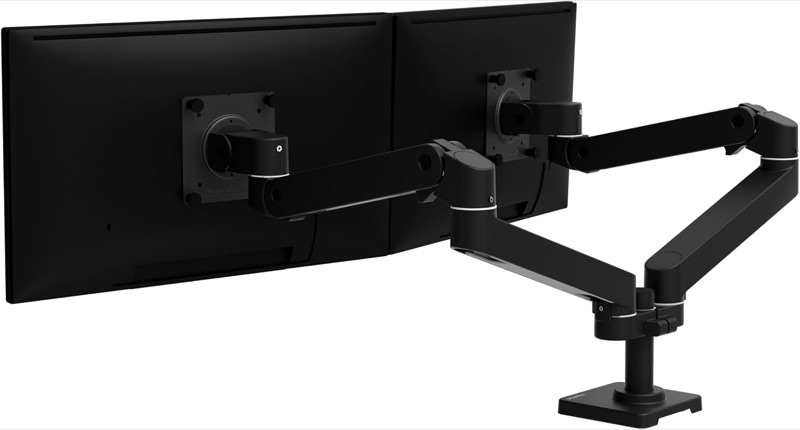
For an adjustable two-screen desk
LX Pro Dual · 45-686-292
Matte-black side-by-side 45-686-292 with desk clamp. Monitors shown demonstrate installation and are not included. This is not the taller Dual Stacking model.
Check it out: Ergotron LX Pro Dual Monitor Arm on Amazon.de (opens a new tab)Image: Ergotron / Amazon.de product listing
Affiliate links may earn us a commission. Compare the exact variant and current price before buying. Specifications are manufacturer claims, not our own test results.
Clear the desk without fixing the screen position
Separate arms let you move each display while removing its original desk stand. That can make room for paperwork, a tablet or a keyboard position that was previously blocked by two large monitor bases.
The selected black 45-686-292 is the side-by-side version. It is different from the Dual Direct crossbar and taller Dual Stacking models. Choose the layout you need before comparing products that share the LX Pro name.
Screen weight matters more than the headline size
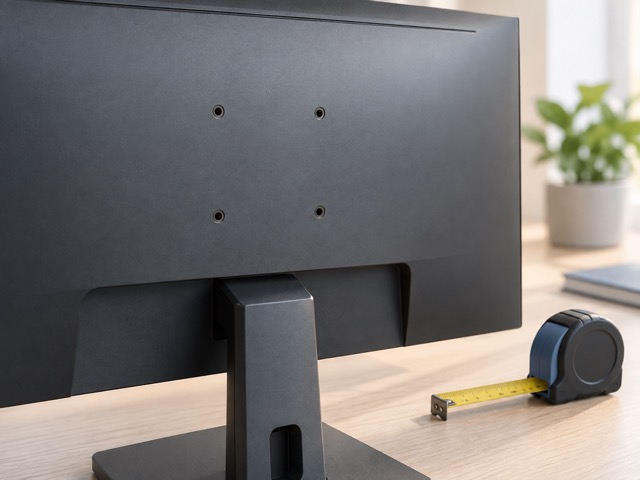
Check each monitor’s weight without its stand, then include anything attached to it. Confirm a supported VESA pattern and look for recessed mounting areas that might need manufacturer-approved spacers or different hardware.
Published limits conflict: Amazon advertises up to 10 kg per screen, while Ergotron’s current 2026 family sheet gives 1.8–9 kg for this model. We use the lower limit. Confirm heavier or unusually deep screens directly with Ergotron before ordering.
Measure behind and beneath the desk
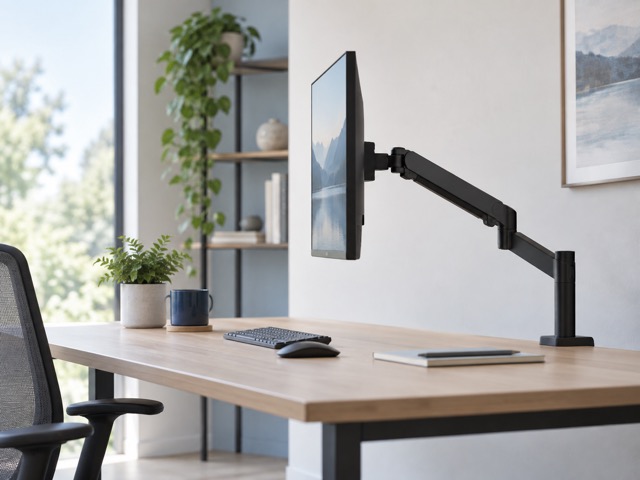
An articulated arm needs room to fold and turn. Check the distance to the wall and the space under the rear edge, including drawers, cable trays and support rails that could obstruct the clamp.
The supplied clamp fits the thickness range stated in the table, but thickness alone does not prove the worktop can carry the load. Hollow, glass or unusually shaped desks need specific approval. A grommet mount is a separate purchase.
Leave room for cables to move
Adjust the arm tension for the mounted screen according to the installation instructions, then check that the monitor holds its position. Use the rotation stop where it helps keep the display or arm away from a nearby wall.
Route power and video cables with enough slack for the intended movement. A tidy cable cover should not pull a connector tight at full extension. Test portrait rotation too if you expect to switch orientation regularly.
Buy it for positioning flexibility
This is a useful upgrade when you regularly move two displays or need the space below them. It does not improve panel quality, refresh rate or computer performance; the benefit is how the existing equipment fits your desk.
Keep the original stands if you may move the screens elsewhere. For a fixed layout that already feels comfortable, simpler mounts may be enough. We have not load-tested this arm, so the documented compatibility limits remain essential.
Technical details
Specifications and compatibility.
| Specification | Details |
|---|---|
| Exact model | 45-686-292; matte-black LX Pro Dual Side-By-Side |
| Screen count | 2, on separate arms |
| Typical screen size | Up to 27 inches each; dimensions and weight still need checking |
| Per-screen weight range | 1.8–9 kg in the current 2026 manufacturer family sheet |
| Total screen capacity | 18.1 kg in that sheet; also respect each arm’s limit |
| Retailer specification conflict | Listing says up to 10 kg each; use the lower current manufacturer limit pending confirmation |
| VESA mounting | 75 × 75 mm or 100 × 100 mm |
| Height adjustment | 33 cm |
| Monitor tilt | 85° total: +70° / −15° |
| Monitor pan | 180° |
| Monitor rotation | 360° |
| Base-arm pan | 180°; 90° with rotation stop engaged |
| Maximum extension | 65.6 cm |
| Included pole | 13.5 cm in the current manufacturer sheet |
| Included mount | Two-piece desk clamp |
| Desk thickness | Retailer specifies 0.4–6.1 cm; confirm desk suitability in installation instructions |
| Grommet mounting | Separate accessory; not included in this clamp kit |
| Cable management | Integrated cable covers |
| Included arm hardware | 2 arms, 2 extensions, 2 monitor pivots and attachment hardware |
| Manufacturer warranty | 10 years, subject to applicable terms |