
Microphones · Product spotlight
Elgato Wave:3 MK.2: bring voice and computer audio together
A USB condenser microphone with onboard processing, headphone monitoring and Wave Link mixing.
Researched
Our recommendation
Useful for solo streams, voiceovers and calls when you want accessible monitoring and software mixing. Check computer support and room placement before relying on its processing.
- Recording format
- 24-bit / 48kHz
- Pickup pattern
- Cardioid, per Elgato technical table; Amazon says supercardioid
- Monitoring
- 3.5mm stereo headphone output with mic/computer blend
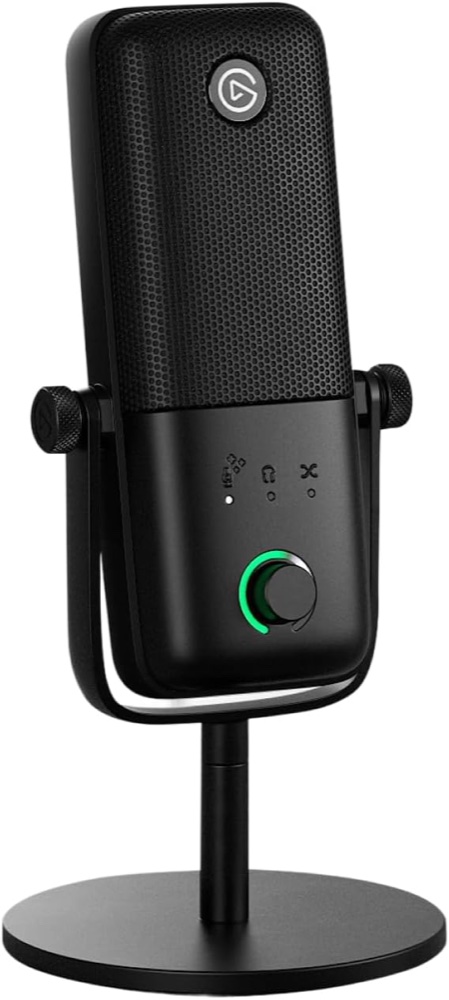
One black MK.2 microphone with desk stand, 2.5m USB-C cable and thread adapters, per Elgato.
Affiliate links may earn us a commission. Check the exact variant and current price. Specifications are manufacturer claims, not our own test results.
Build around one voice
Wave:3 MK.2 combines a USB condenser microphone with controls and processing aimed at a single desktop speaker. It suits voiceovers, streaming and calls where the microphone stays close and the speaker remains in a consistent position.
The linked black package includes a stand. This is MK.2, whose recording specification is 24-bit at 48kHz. Do not import the original Wave:3’s 96kHz setting into this model’s buying decision.
Place the front toward your voice

Elgato’s quick-start guide recommends speaking into the front from roughly 10–20 centimetres away. Leaving the microphone at the far side of a desk can make the room more prominent relative to your voice.
Soft furnishings and sensible placement remain useful even with onboard processing. The manufacturer’s technical table calls the pattern cardioid, while Amazon says supercardioid. We retain that discrepancy rather than promising a particular off-axis rejection measurement.
Keep monitoring simple
The headphone socket lets you hear the microphone alongside computer audio. The dial changes input gain, headphone level and the monitor balance; top touch muting gives a quick way to pause your voice.
Start at a moderate headphone volume and check the recording application’s selected input. Hearing yourself through the microphone does not guarantee that a meeting or recording app has selected the same device.
Separate the mic from the mix
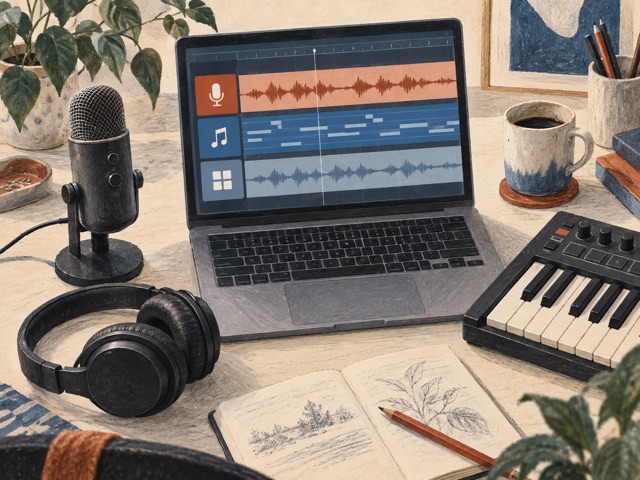
Wave FX handles processing on the microphone, while Wave Link organises computer audio and software effects. VST inserts still depend on the host; they are not all stored inside the microphone.
This distinction matters if you change computers or cannot install software on a work machine. Check the current Windows or macOS requirement and save a simple working configuration before adding several processing stages.
Choose control over specification inflation
Choose MK.2 when its monitoring, mute control and Wave Link workflow solve everyday problems. A USB microphone does not replace an XLR interface for multiple microphones or analogue instruments.
Elgato specifies a 2.5-metre cable; the listing mixes incompatible length figures. The table follows the manufacturer. We have not recorded samples or measured Clipguard behaviour, so the recommendation concerns the documented workflow rather than a claimed improvement to every voice.
Technical details
Specifications and compatibility.
| Specification | Details |
|---|---|
| Recording format | 24-bit / 48kHz |
| Pickup pattern | Cardioid, per Elgato technical table; Amazon says supercardioid |
| Monitoring | 3.5mm stereo headphone output with mic/computer blend |
| Linked version | Black Wave:3 MK.2; B0GGYLFHPS; not first-generation Wave:3 |
| Capsule | 16mm condenser with integrated JFET preamp; side-address |
| Frequency response | 70Hz–20kHz |
| Sensitivity | -20dBFS at 1kHz |
| Maximum SPL | 130dB typical at 1kHz |
| Dynamic range | 110dB, manufacturer specification |
| USB | USB-C; USB 2.0 high speed; bus powered |
| Onboard processing | Wave FX processor, Clipguard 2.0 and Voice Tune |
| Level setup | Auto Gain calibration or manual input gain |
| Physical controls | Multifunction dial; top tap-to-mute; status ring |
| Software | Wave Link; host-based mixing and VST inserts |
| Computer requirements | Windows 11+ or macOS 14.2+; USB-C |
| Placement guidance | Speak into front from approximately 10–20cm, per quick-start guide |
| With stand | 213mm height, 100mm base diameter; 570g |
| Microphone body | 85 × 167 × 46mm; 250g without stand |
| Mounting | 1/4-inch thread; 3/8-inch and 5/8-inch adapters supplied |
| Included cable | USB-C, 250cm / 98in per Elgato; Amazon has conflicting length text |
| Package | Microphone, desk stand, cable and thread adapters |
| Separate equipment | Headphones; optional boom arm and external pop protection |
| Analogue connection | No XLR output |
A good fit if…
You record one voice on a supported computer and want direct monitoring, touch muting and Wave Link mixing.
Keep in mind
No XLR; software effects require the host. Published pickup-pattern and cable descriptions conflict; room noise still needs attention.