
Desktop chargers · Product spotlight
Belkin BoostCharge Pro 200W: one charging point for the desk
Four USB-C ports for a shared desk. Match the power budget to your devices and cables.
Researched
Our recommendation
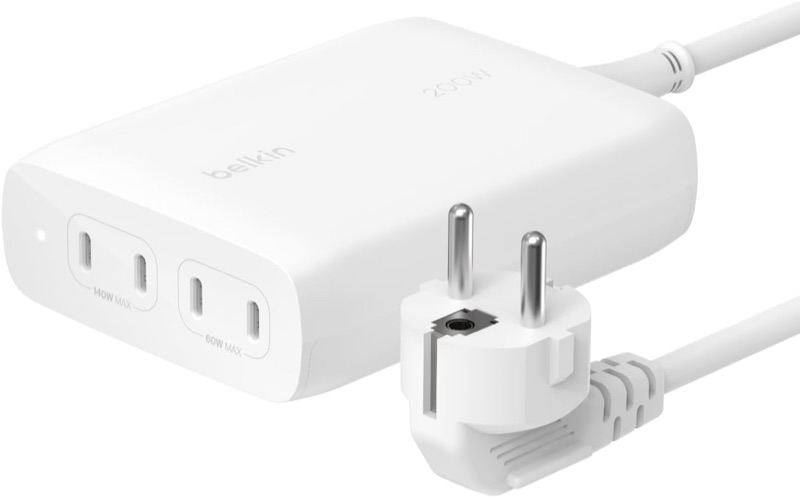
A useful choice for charging a laptop and several smaller devices together. Choose it for convenient port access and shared power; 200W is the total budget, not the output of every socket.
The linked offer is pictured in white with an EU power lead. Confirm colour and plug; device-charging cables are separate.
- Total output
- 200W maximum, shared
- USB-C ports
- 4
- Top single-port output
- 140W maximum
Affiliate links may earn us a commission. Check the exact variant and current price. Specifications are manufacturer claims, not our own test results.
Start with your daily devices
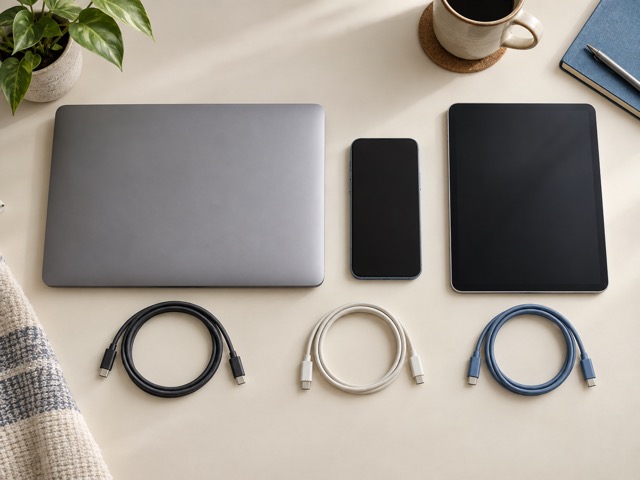
List the devices that normally charge together, then check their own input limits. A laptop, tablet and phone rarely ask for the same power. This charger is most useful when several cables can stay within reach on a fixed desk.
The 200W label describes the combined ceiling. Two devices cannot each receive 140W at once. Allow room in the power budget for the laptop while it is working, rather than judging the setup only by overnight charging.
Choose ports deliberately
The first two USB-C ports support the higher 140W ceiling; the other two reach 60W. Power is shared as devices are connected. A device negotiates a supported level, so a larger charger does not force its maximum output into a phone.
Check the combination with your usual workload. A laptop that slowly loses charge during heavy use may need more of the shared budget, even if the same connection charges it successfully while asleep.
The cable is part of the setup
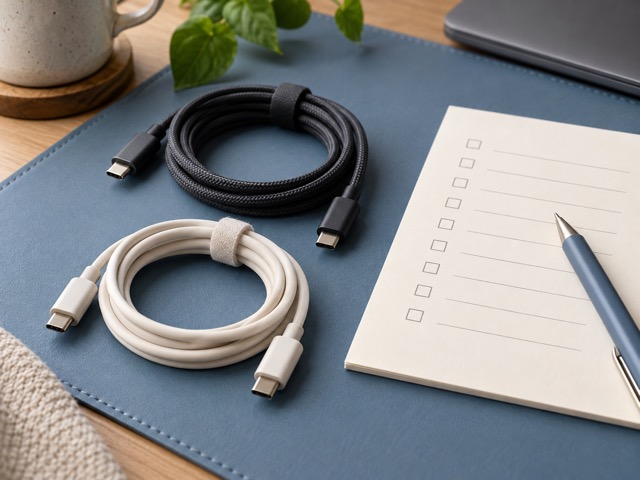
Reaching the 140W profile requires a compatible laptop and an EPR-rated USB-C cable. A cable that fits can still impose a lower power limit. Keep its specification or packaging so you can distinguish it from a basic phone cable.
USB-C charging also does not imply video or file transfer. This unit supplies power; it will not connect a monitor, merge USB accessories or replace a laptop dock.
Give it a permanent spot
The detachable mains lead lets the charger sit on the desk while the wall socket stays underneath. Measure that route first and leave accessible space around the unit. Avoid enclosing it beneath paperwork or inside a crowded cable box.
The current listing photograph shows a white charger and EU plug. Confirm those details before buying: product families and retailer options can change without making every older description consistent.
Buy the capacity you will use
Four accessible ports can simplify a busy charging routine, especially when you already own suitable cables. For one phone or a lightly used laptop, a smaller charger may be easier to carry and entirely sufficient.
We have not measured sustained output, heat or charging times. Use the documented power limits as a shortlist check, then confirm the actual device combination rather than treating advertised fast-charge examples as a promise.
Technical details
Specifications and compatibility.
| Specification | Details |
|---|---|
| Total output | 200W maximum, shared |
| USB-C ports | 4 |
| Top single-port output | 140W maximum |
| Model family | WCH015; EU mains lead shown in this listing |
| USB-C 1 and 2 | Up to 140W each when the power allocation permits |
| USB-C 3 and 4 | Up to 60W each when the power allocation permits |
| Ports 1/2 fixed profiles | 5V/3A, 9V/3A, 15V/3A, 20V/5A, 28V/5A |
| Ports 3/4 fixed profiles | 5V/3A, 9V/3A, 15V/3A, 20V/3A |
| Charging standards | USB Power Delivery 3.1 EPR / PD 3.0; PPS supported |
| Mains input | 100–240V AC, 50/60Hz |
| Power management | Intelligent Power Sharing; simultaneous loads reduce available per-port power |
| Power lead | 1.5m, detachable |
| Device cables | Not included; choose the required connector and power rating |
| 140W requirement | Compatible EPR device and EPR-rated USB-C cable |
| Dimensions | Approx. 119 × 92 × 36mm; rounded from manufacturer FAQ |
| Operating temperature | 0–25°C, according to the manufacturer FAQ |
| Storage temperature | −20–70°C |
| Placement | Indoor desktop use |
| Included hardware | Charger and detachable mains lead |
| Battery / data functions | Mains charger; no internal power-bank battery or USB hub functionality |
A good fit if…
You regularly charge several USB-C devices at one desk and can give the laptop priority within the shared budget.
Keep in mind
Charging cables cost extra. Four ports do not provide four maximum-power outputs, and this is neither a travel battery nor a data dock.