
Product spotlight
Bambu Lab A1 mini: a small printer for practical first projects
Explore build size, materials, speed limits, setup and the exact LED lamp kit bundle before making room for a first 3D printer.
Researched · Researched buying guide
The short answer
We recommend the A1 mini for small PLA or PETG projects and readers willing to learn basic model preparation and maintenance. Its 180 mm build space is the main limit. Choose something else for routinely larger objects or materials that need an enclosed, controlled printing environment.
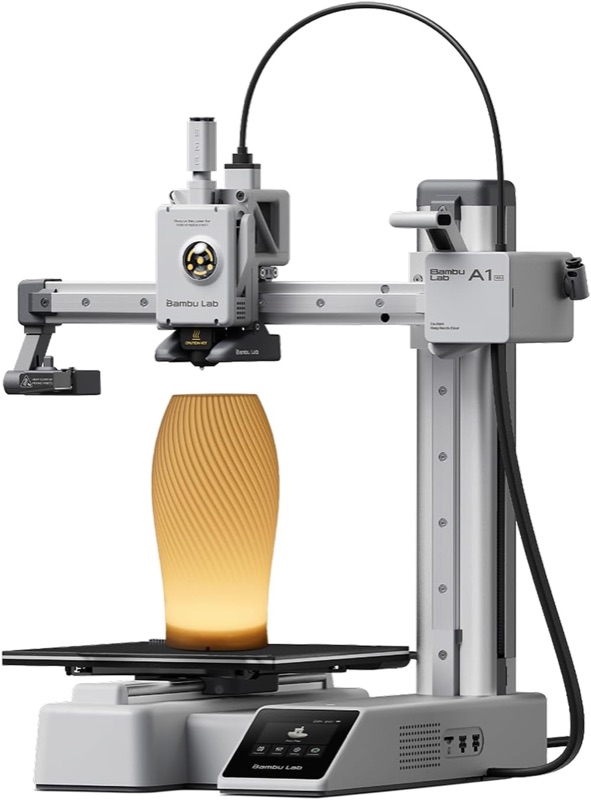
For small functional prints
Bambu Lab A1 mini · LED kit
A1 mini with LED lamp kit, selected A1 mini+LED listing. The lamp pictured demonstrates a project; check the kit contents and filament separately. AMS lite is not listed in this bundle.
Check it out: Bambu Lab A1 mini on Amazon.de (opens a new tab)Image: Bambu Lab / Amazon.de product listing
Affiliate links may earn us a commission. Compare the exact variant and current price before buying. Specifications are manufacturer claims, not our own test results.
Choose a project before choosing a printer
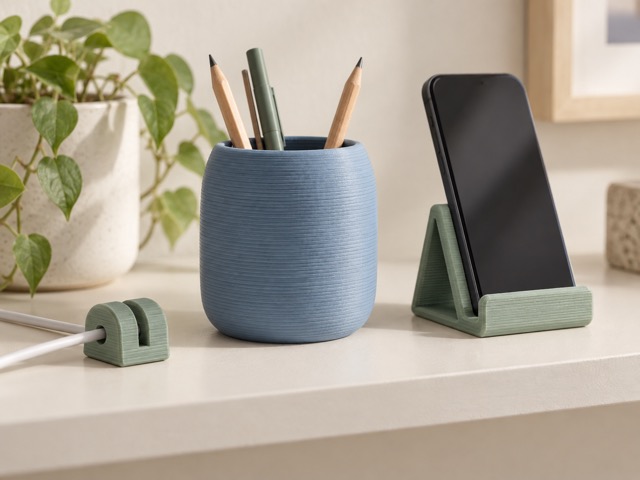
A cable clip, pencil cup, spacer or modest display stand is a more useful first goal than an undefined plan to print everything. Check the dimensions and material needs of several objects you actually want. That turns the purchase into a concrete workspace decision instead of a bet on a new hobby.
A1 mini is an open-frame filament printer with a relatively small build area. Its appeal is the combination of automated setup features and a manageable machine size. You still need to select a suitable model, prepare the print and decide whether the result is appropriate for the job.
The 180 mm cube sets the practical limit
The build volume is 180 × 180 × 180 mm. Supports, brims and model orientation can reduce the space available for the object itself. A long part may fit diagonally, but changing orientation can also affect its support requirements, surface finish and strength. Check the sliced layout before assuming that it fits.
The printer’s quoted dimensions do not include all the space needed for moving parts, cabling and handling filament. Put it on a stable surface where the bed can move freely and completed parts can be removed comfortably. An open machine also needs a location that keeps its moving and hot components out of casual reach.
Match materials to the open machine
Bambu lists PLA, PETG, TPU and PVA as suitable material families, while advising against the engineering materials listed in our table. A hotend capable of reaching 300°C does not make the entire printer equally suitable for every filament that melts below that temperature. Bed temperature and the surrounding environment also matter.
For a first functional project, choose the material around the object’s likely heat, moisture and loading conditions. A decorative desk object and a replacement part near a hot appliance are very different requirements. Do not treat an attractive print as evidence that it is safe for structural, food-contact or safety-critical use.
Speed specifications need context
The 500 mm/s figure is the maximum toolhead speed, while 10,000 mm/s² describes maximum acceleration. The finished job also includes slower surfaces, corners, travel, heating and calibration. A complex object will not necessarily finish in a fraction of the time suggested by comparing only peak speed numbers.
The included 0.4 mm nozzle is the starting point. Smaller optional nozzles can suit fine features; larger ones can suit thicker extrusion, with different tradeoffs. Examine the slicer’s estimated time and preview for the actual model. We have not timed this printer or measured the quality of a benchmark print.
Filament and routine care are part of ownership
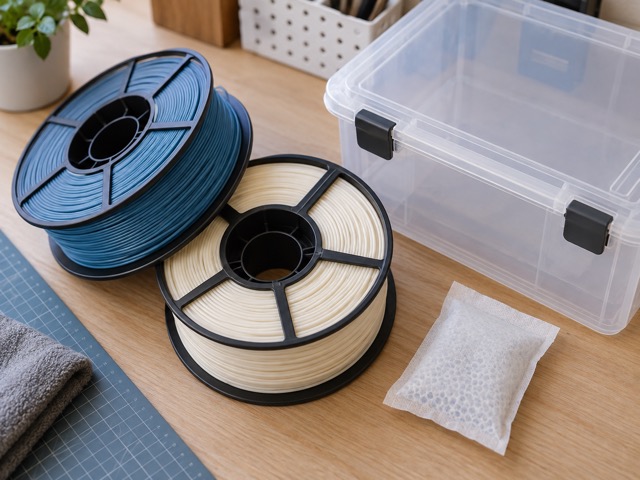
Keep filament stored appropriately for the material and avoid letting loose ends unwind into tangles. A clean build surface and the manufacturer’s maintenance routine matter even when calibration is automatic. Make space for spare material, simple tools and failed attempts as well as the machine itself.
Start with the supplied printer profile in Bambu Studio and a modest model. Change one setting at a time when learning, so the result is understandable. Third-party slicers can export G-code, but the official specification warns that some advanced features may be unavailable; the file format alone does not guarantee an equivalent workflow.
Understand the LED kit and optional upgrades
The selected Amazon option is A1 mini+LED, with an LED lamp kit. The product image shows an example lamp on the bed. It should not be read as a promise of a fully finished lampshade, a full spool of every required material or every accessory pictured in other versions of the listing.
This is not the AMS lite Combo. Confirm exactly what is included before budgeting for multicolour printing or other upgrades. The onboard camera is described as low frame rate, despite its up-to-1080p resolution; it is a monitoring aid rather than a smooth general-purpose video camera.
Our recommendation: start small and use it regularly
A1 mini makes sense when most of your intended objects fit its build area and you have a suitable place to operate and maintain it. The compact scope can be useful: begin with practical parts, learn what affects a result and only then decide which accessories are worth adding.
Skip it if the first several projects already exceed the build volume or require materials the manufacturer does not recommend. Compare the delivered bundle price with filament and any required tools. A smaller printer that fits your real projects is useful; buying one that immediately needs replacement is a false economy.
Technical details
Specifications and compatibility.
| Specification | Details |
|---|---|
| Printing process | Filament extrusion with direct-drive toolhead |
| Build volume | 180 × 180 × 180 mm |
| Included nozzle | 0.4 mm stainless steel |
| Optional nozzle sizes | 0.2, 0.6 and 0.8 mm; purchased separately |
| Filament diameter | 1.75 mm |
| Maximum nozzle temperature | 300°C |
| Maximum build-plate temperature | 80°C |
| Recommended material families | PLA, PETG, TPU and PVA; follow material-specific guidance |
| Materials not recommended by manufacturer | ABS, ASA, PC, PA, PET and carbon/glass-fibre reinforced polymers |
| Maximum toolhead speed | 500 mm/s; a motion limit, not a whole-print average |
| Maximum acceleration | 10,000 mm/s² |
| Dimensions and mass | 347 × 315 × 365 mm; 5.5 kg, before operational clearance |
| Electrical input | 100–240 V AC, 50/60 Hz; maximum 150 W |
| Display | 2.4-inch 320 × 240 IPS touchscreen |
| Connectivity | 2.4 GHz Wi-Fi 802.11 b/g/n; microSD storage |
| Monitoring camera | Low-frame-rate camera, up to 1080p; timelapse supported |
| Sensors and recovery | Filament runout, filament tangle detection and power-loss recovery |
| Software | Bambu Studio; third-party G-code slicers may lack advanced features |
| Selected bundle | A1 mini + LED lamp kit; not an AMS lite Combo |