
Internal SSDs · 2 products compared
Samsung 990 PRO vs WD_BLACK SN850X: two 2TB upgrade routes
Two bare PCIe 4.0 NVMe drives for compatible computers. Cooling, software and slot support matter more than a small peak-speed gap.
Researched
Researched buying guide
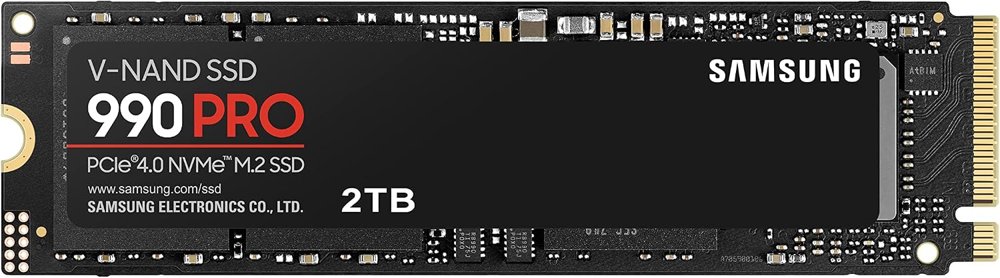
For Samsung’s maintenance tools and documented security options
Samsung 990 PRO · 2TB bare
One MZ-V9P2T0BW M.2 SSD without a heatsink.
Check it out: Samsung 990 PRO 2 TB on Amazon.de (opens a new tab)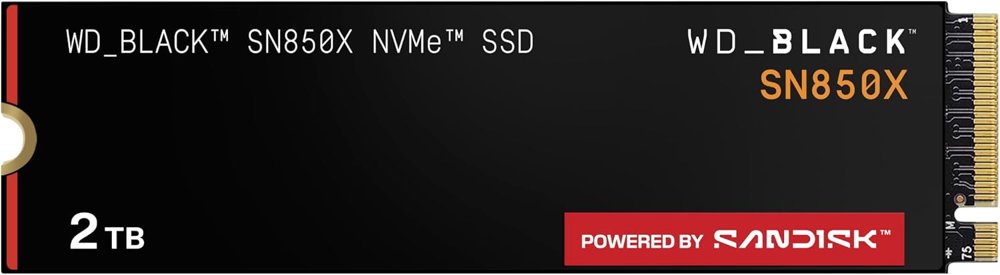
For a gaming-oriented Windows software option
WD_BLACK SN850X · 2TB bare
One WDS200T2X0E M.2 SSD without a heatsink; no RGB heatsink assembly.
Check it out: WD_BLACK SN850X 2 TB on Amazon.de (opens a new tab)Affiliate links may earn us a commission. Check the exact variant and current price. Specifications are manufacturer claims, not our own test results.
Confirm the slot first
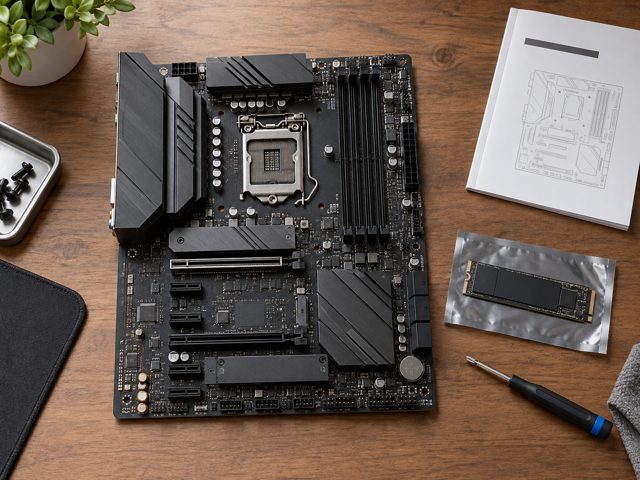
Both links select one bare 2TB M.2 2280 drive. Check the computer or motherboard manual for PCIe NVMe support, physical clearance and the correct mounting point. An M.2-shaped socket is not enough evidence of compatibility. Back up the existing system before opening it, and follow the manufacturer’s power-disconnection and installation instructions.
Put peak speeds in context
Samsung lists slightly higher sequential ceilings, but those numbers describe controlled transfer tests. They do not establish how quickly your particular game loads or application starts. PCIe 3.0 hosts, background work, file sizes and cache behaviour can change results. Compare the complete upgrade cost and system fit rather than treating a small specification gap as a guaranteed benefit.
Plan the cooling together
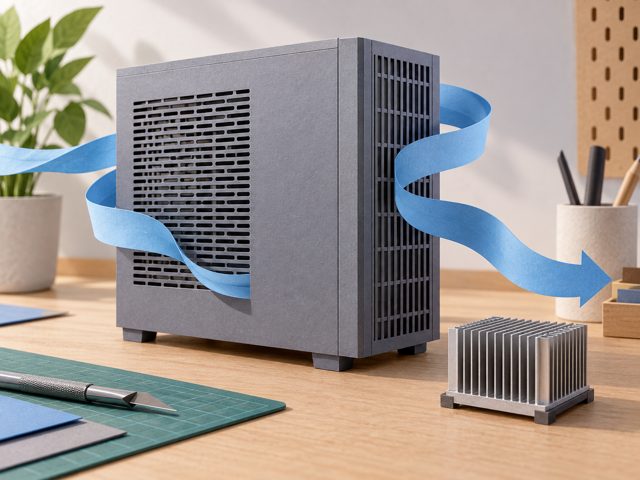
Neither linked version includes a heatsink. A desktop motherboard may supply one; a laptop may rely on a specific thermal pad and enclosure clearance. Follow the system’s instructions rather than fitting an arbitrary cooler. For a console installation, check its current thermal and physical requirements separately before assuming that a bare drive is ready to use.
Check the software you will use
Samsung provides Magician, while the current SN850X sheet points to SANDISK Dashboard and Windows Game Mode 2.0. Features depend on software, firmware and the host environment. Check current firmware during setup. Security documentation also differs across revisions: the current SN850X sheet lists Opal support, so verify the supplied revision if encryption management is essential.
Choose an upgrade you can maintain
Both 2TB versions carry a 1,200TBW endurance rating and a five-year limited warranty ending earlier if that write limit is reached. These are warranty conditions, not a prediction of failure or a substitute for backups. Choose the compatible drive whose software and cooling arrangement you can maintain, then confirm that your migrated system boots and important files remain readable.
Side by side
The differences that matter.
On smaller screens, swipe across the table to compare all products.
| At a glance | Samsung 990 PRO · 2TB bare | WD_BLACK SN850X · 2TB bare |
|---|---|---|
| Linked model | MZ-V9P2T0BW; B0B9C4DKKG | WDS200T2X0E; B0B7CMZ3QH |
| Capacity | 2TB, decimal; usable space lower | 2TB, decimal; usable space lower |
| Interface | PCIe 4.0 ×4; NVMe 2.0; backward PCIe 3.0 | PCIe 4.0 ×4; NVMe; backward PCIe 3.0 |
| Form factor | M.2 2280; bare module | M.2 2280 M-key; bare module |
| Sequential read / write | Up to 7,450 / 6,900MB/s | Up to 7,300 / 6,600MB/s |
| Random read / write | Up to 1.4M / 1.55M IOPS; QD32, T16 | Up to 1.2M / 1.1M IOPS; manufacturer test conditions |
| Memory | Samsung V-NAND TLC; 2GB LPDDR4 DRAM | 3D TLC NAND; DRAM quantity not specified in checked current sheet |
| Write endurance | 1,200TBW | 1,200TBW |
| Limited warranty | 5 years or TBW limit, whichever comes first | 5 years or TBW limit, whichever comes first |
| Dimensions | 80 × 22 × 2.3mm maximum | 80 × 22 × 2.38mm nominal; stated tolerances apply |
| Weight | Not established in checked primary sheet | 7.5g ±1g |
| Operating temperature | 0–70°C | 0–85°C |
| Storage temperature | −40–85°C | −40–85°C |
| Encryption specification | AES 256-bit; TCG Opal 2.0; IEEE 1667; supported configuration required | July 2025 sheet lists TCG Opal 2.01; verify supplied revision / firmware if essential |
| Software | Samsung Magician; features vary by system / software version | SANDISK Dashboard, Windows; Game Mode 2.0 |
| Cooling | No heatsink included; plan compatible cooling | No heatsink included; plan compatible cooling |
| Installation | Compatible PCIe NVMe M.2 slot, mounting and backup required | Compatible PCIe NVMe M.2 slot, mounting and backup required |
The final check
A good fit if…
Your computer supports a PCIe NVMe M.2 2280 drive and you have planned installation, cooling and migration.
Keep in mind
Neither includes a heatsink. Peak transfer rates and gaming software do not establish a hands-on performance winner.