
Internal SSDs · Product spotlight
Crucial T500 2TB: check the bare-drive version
A PCIe 4.0 M.2 upgrade for a compatible computer. This link selects the 2TB module without a heatsink.
Researched
Researched buying guide
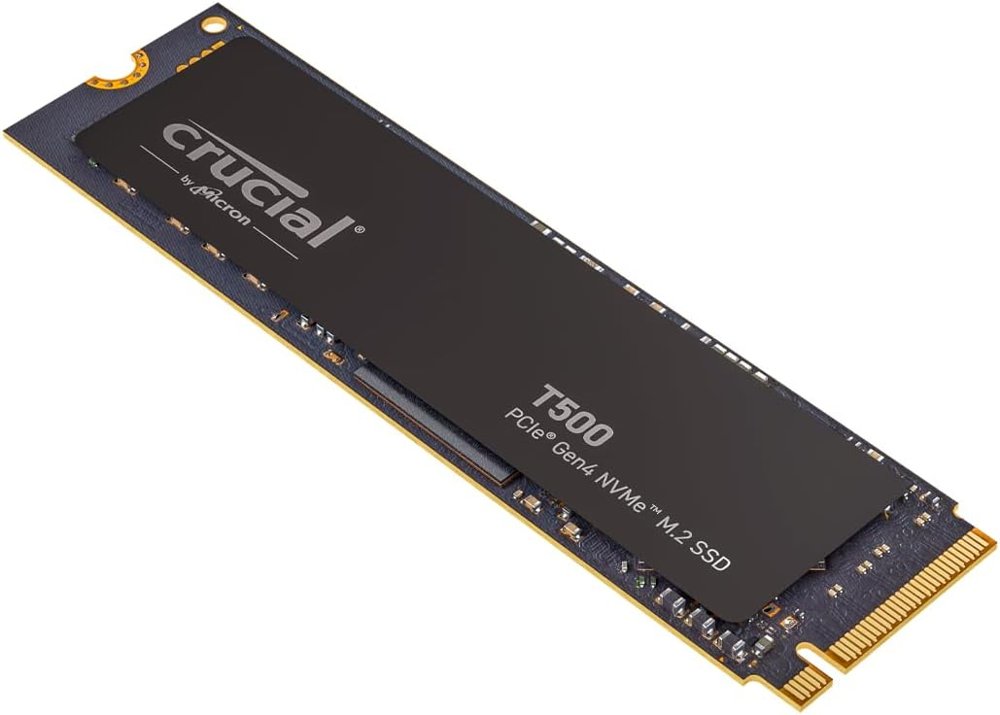
For a planned laptop or desktop storage upgrade
Crucial T500 · 2TB without heatsink
One CT2000T500SSD8 module. CT2000T500SSD5 is the separate heatsink version.
Check it out: Crucial T500 2 TB on Amazon.de (opens a new tab)- Capacity
- 2TB, decimal; usable space lower
- Interface
- PCIe 4.0 ×4 NVMe
- Cooling supplied
- No heatsink; system-compatible cooling required
Affiliate links may earn us a commission. Check the exact variant and current price. Specifications are manufacturer claims, not our own test results.
Read the model code
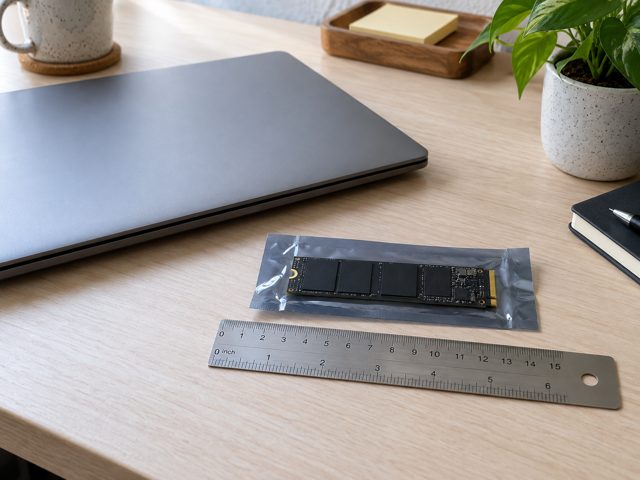
The selected Amazon title identifies CT2000T500SSD8, the 2TB T500 without a heatsink. Other listing text mixes in lower-capacity speeds and language about a heatsink version. The suffix matters: CT2000T500SSD5 denotes the separate cooled package. Confirm the selected option and model again at checkout rather than relying on a shared description.
Check more than the connector
Your computer needs a compatible PCIe NVMe M.2 slot with room for a 2280 module. Check the system manual for supported storage, mounting hardware and any thermal pad or shield. This is an internal component, not a plug-in USB drive. An enclosure would be a separate purchase with its own compatibility and bandwidth limits.
Use the right capacity figures
Crucial’s 2TB specification lists up to 7,400MB/s reads and 7,000MB/s writes, with random figures of 1.18 million and 1.44 million IOPS. These are conditional manufacturer maxima. They do not promise a sustained transfer rate for every file collection or a particular improvement in game loading, application startup or frame rate on your computer.
Keep migration reversible

Before replacing the existing drive, make a separate backup and decide whether to clone the system or perform a fresh installation. Keep the old drive intact until the new installation boots and important files open correctly. Record any recovery information your existing disk encryption requires, following the operating system’s guidance for hardware changes.
Allow for heat and write use
The bare package relies on an appropriate thermal arrangement in the host. It should not be treated as a complete console-ready heatsink kit. Its five-year limited warranty also ends at the rated 1,200TBW limit if reached earlier. Choose it for a compatible installation you can maintain, with regular backups rather than an assumption that endurance ratings guarantee data safety.
Technical details
Specifications and compatibility.
| Specification | Details |
|---|---|
| Linked model | CT2000T500SSD8; B0CK2TC9XQ |
| Capacity | 2TB, decimal; usable space lower |
| Interface | PCIe 4.0 ×4 NVMe |
| Form factor | M.2 2280; nominal 80 × 22mm |
| Cooling supplied | No heatsink; system-compatible cooling required |
| Sequential read / write | Up to 7,400 / 7,000MB/s for this 2TB model |
| Random read / write | Up to 1.18M / 1.44M IOPS; manufacturer test conditions |
| NAND | Micron 232-layer 3D TLC |
| Write endurance | 1,200TBW |
| Limited warranty | 5 years or rated TBW, whichever comes first |
| DirectStorage | Supported feature; requires compatible operating system, game and system |
| Host requirements | Compatible PCIe NVMe M.2 slot, mounting space and thermal arrangement |
| Power / connection | Powered through the internal M.2 socket; not a USB drive |
| Console installation | Bare model is not a complete cooled installation; verify console requirements separately |
| Included quantity | One bare SSD; mounting hardware / external enclosure not confirmed included |
| Listing discrepancy | Some bullets describe 1TB speeds or a heatsink version; use CT2000T500SSD8 identity |
The final check
A good fit if…
Your computer accepts a bare M.2 2280 NVMe drive and has a suitable thermal and migration plan.
Keep in mind
The linked package has no heatsink. Retailer bullets mix versions; use the exact model and 2TB specification.