
Product spotlight
OBDLink MX+: check car data from your phone
A Bluetooth diagnostic adapter for compatible vehicles. Check app coverage before expecting access to every control module.
Researched · Researched buying guide
The short answer
Choose MX+ when your vehicle and preferred diagnostic app are explicitly supported. It can help record codes and live data, but it does not identify every faulty part or provide dealer-level access to every European car.
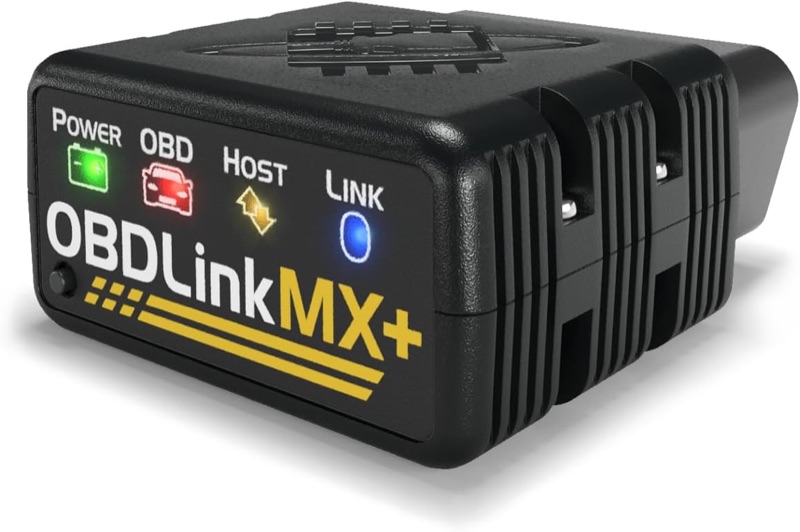
For supported vehicle diagnostics
OBDLink MX+
Model 428101 Bluetooth adapter. Phone and computer are separate. Generic OBD-II support and manufacturer-specific diagnostic coverage are different checks.
Check it out: OBDLink MX+ on Amazon.de (opens a new tab)Image: OBDLink / Amazon.de product listing
Affiliate links may earn us a commission. Compare the exact variant and current price before buying. Specifications are manufacturer claims, not our own test results.
Get a clearer record of the problem
MX+ connects a compatible vehicle’s diagnostic port to a phone or computer. It can display supported fault codes and live parameters, giving you a more useful record to discuss with a repairer than a dashboard light alone.
A code identifies a detected condition, not necessarily the part that needs replacing. Keep the code, symptoms and circumstances together. Clearing a warning does not repair its cause and can remove information needed for a later investigation.
Check European coverage carefully
The familiar “1996 and newer” compatibility statement applies to the US market. For a German or other European vehicle, use OBDLink’s international compatibility guidance and check the exact model, fuel type and year.
Generic engine diagnostics and enhanced manufacturer-specific access are separate. OBDLink notes that its enhanced add-ons primarily cover North American vehicles. Do not assume ABS, airbag, transmission or other modules are accessible simply because the adapter connects successfully.
Choose the app around the task
The purchase includes the OBDLink mobile app and OBDwiz for Windows. Other supported apps can provide different functions, but their own vehicle coverage and payment requirements still apply. Confirm the needed feature before buying the adapter.
Hardware support for Ford MS-CAN and GM SW-CAN does not unlock every module automatically. Check the manufacturer’s coverage document by model year and module, then check the app’s supported functions for that same vehicle.
Keep the first connection simple
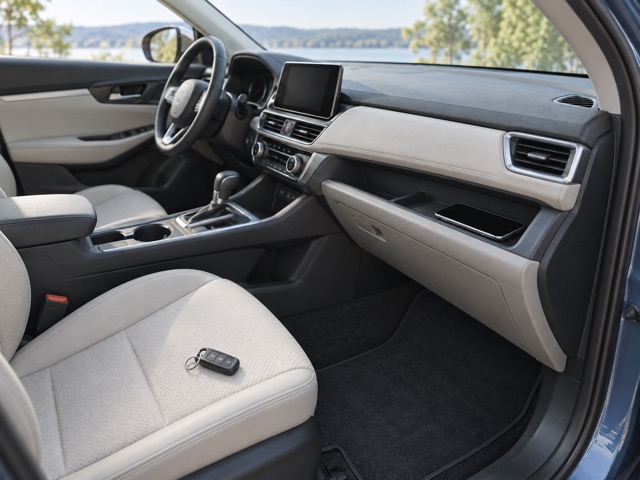
Set up pairing and review readings while safely parked. The adapter’s physical button enables pairing, and its small body plugs into the diagnostic socket. Check that it will not obstruct pedals, trim or the driving position.
BatterySaver reduces consumption, but the specified sleep current is not zero. For extended storage, follow the vehicle and adapter guidance rather than assuming it can remain connected indefinitely without affecting a weak or seldom-charged battery.
A good fit for informed observations

MX+ suits owners who want to log supported data and make better-informed maintenance decisions. Save useful records before changing anything, and let a qualified technician investigate problems that need specialist equipment or safety-critical work.
Choose a different scanner if you require standalone operation, specific service procedures or confirmed access the chosen app cannot provide. This is a researched buying guide; we have not tested the adapter against a fleet of vehicles or verified every advertised app combination.
Technical details
Specifications and compatibility.
| Specification | Details |
|---|---|
| Model | OBDLink MX+ / 428101 |
| Supported platforms | iOS, Android and Windows |
| Wireless connection | Class 2 Bluetooth 3.0 |
| Pairing | Physical Connect button enables pairing |
| Link security | Manufacturer specifies 128-bit encryption |
| Vehicle interface | Standard OBD-II diagnostic connector |
| Protocol support | All legislated OBD-II protocols; EOBD and JOBD variants supported |
| Additional networks | Ford MS-CAN and GM SW-CAN hardware support |
| Generic diagnostics | Read supported fault codes and live parameters; clear supported codes |
| Enhanced diagnostics | Vehicle, model year, module and app dependent; not universal |
| Included mobile software | OBDLink app for iOS and Android |
| Included Windows software | OBDwiz |
| Third-party apps | Supported apps may require separate purchase or subscription |
| Vehicle electrical system | 12 V automotive systems |
| Operating voltage | 8–18 V |
| Operating current | 62 mA, manufacturer specification |
| Low-power mode | BatterySaver; 2 mA stated consumption |
| Overvoltage protection | Up to 100 V claimed; does not establish 24 V vehicle compatibility |
| Dimensions | 50 × 45 × 23 mm |
| Weight | 85.1 g |
| Operating temperature | −20 to 55°C |
| Operating humidity | 10–85%, non-condensing |
| Firmware | Manufacturer provides firmware updates |